The rider app
The rider has a dedicated mobile view, designed for one-handed use while out on deliveries: the orders assigned to them, navigation to the customer and payment on delivery.
Signing in
The delivery phone is shared: each rider just picks their profile and enters their 4-digit PIN. The screen asks “Who’s delivering?” and shows the restaurant’s riders.
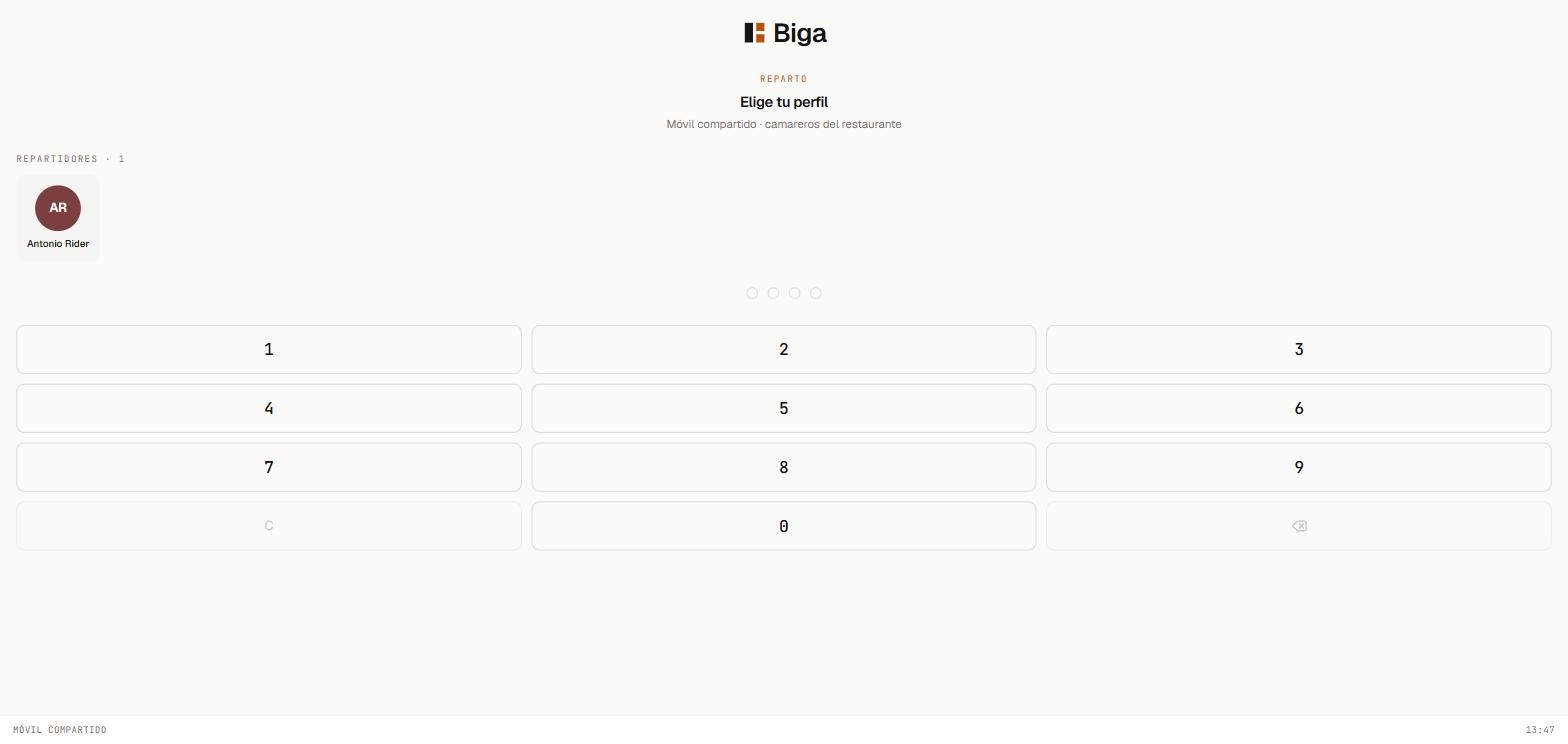 Pick your profile and enter your PIN to start.
Clocking in doesn’t happen here. This screen is only for choosing which rider you are. Clocking in and out of your shift is always done at the POS, like the rest of the staff.
The delivery order
For each order, the rider sees all the information on a single screen: amount to collect, customer details, address with a direct button to Google Maps, and the order breakdown. It also clearly shows whether the customer pays by cash (and what they’ll pay with, and how much change is needed) or by card (a reminder to bring the card reader), or if it’s already paid online. The same information prints on a slip that goes with the order.
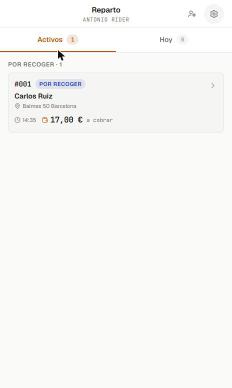 The delivery assigned in the rider app: customer, address and amount to collect.
The flow is direct, a single tap:
- When the order leaves for the customer, it’s marked On the way at the POS (done by the restaurant staff, not the rider).
- The rider takes the order and, at delivery, taps Delivered, picks the payment method (cash or card) and that’s it.
Before, you had to tap a button at every step; now the rider doesn’t go through “pick up” or “on route”: they just confirm delivery. Fewer taps with the phone in hand.
If something goes wrong (the customer isn’t there, the address is wrong…), the rider can Report issue right from the same screen.
Common issues
- I can’t see any assigned order → orders are assigned once they’re ready in the kitchen; wait for the kitchen to mark them or assign them from the kanban (see Takeaway and delivery).
- The payment on delivery won’t confirm → check the phone’s connection; the rider needs internet to confirm the delivery.