Product · Invoicing

Everything that comes in,
numbered and balanced.

Every payment issues a fiscal receipt with a sequential number. If the customer wants an invoice with a tax ID, the B2B one is generated. And when you close the till, the Z balances itself and goes straight to your accountant. Orders, invoices and closes — in one place.

See how it works
Paid orders

Every order you charge, with its document.

The list of everything you've charged: receipt or invoice, payment method and status. Filter by day, week or month and you get the total invoiced and what's still outstanding without doing a single sum by hand.
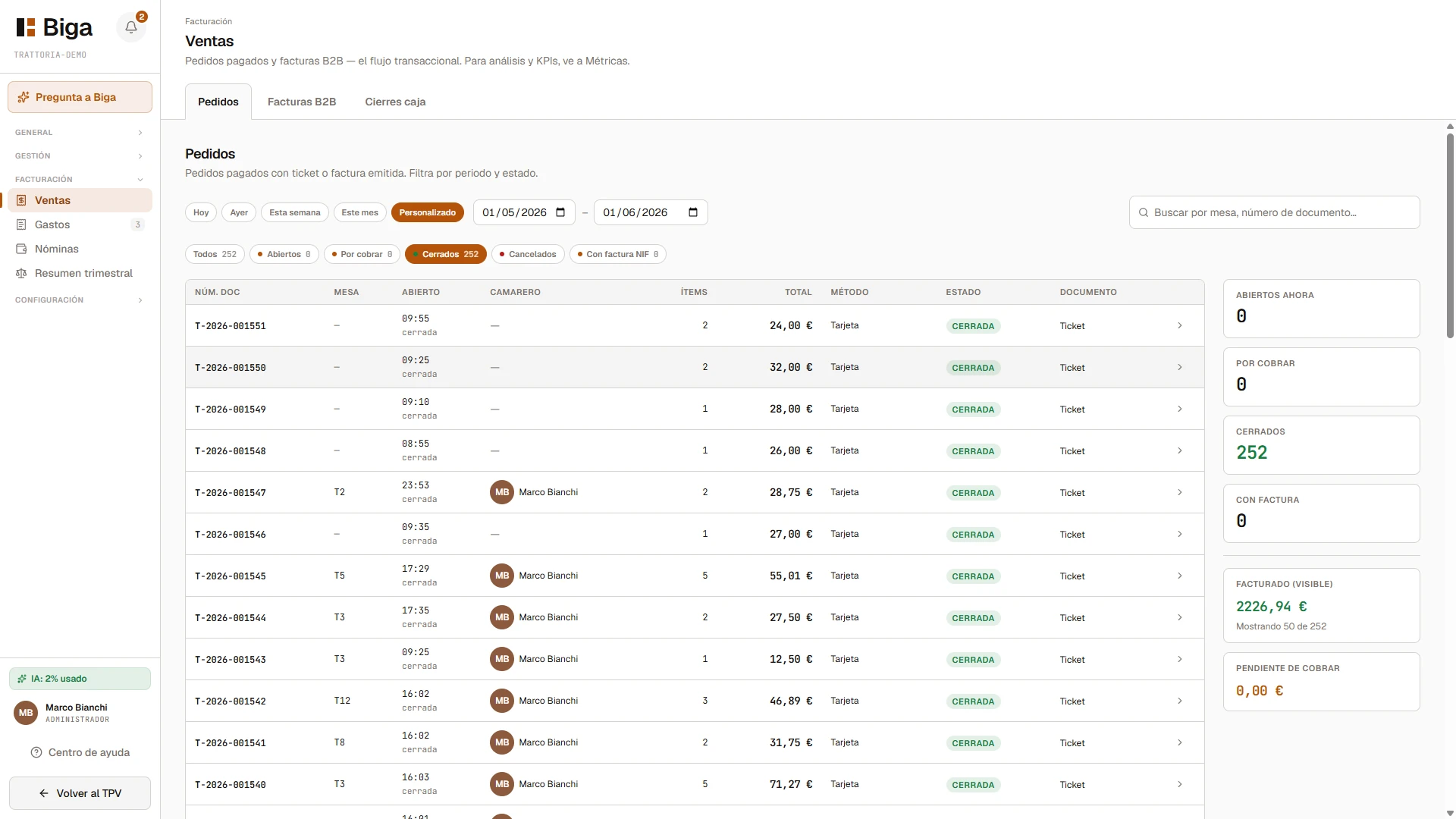
Real Sales screen in Biga: the list of paid orders with document number, method and status, plus a side summary of closed, invoiced and outstanding amounts.
Fiscal receipt

The receipt issues itself, with a sequential number.

When the balance reaches zero, Biga issues the fiscal receipt with a sequential, consecutive serial number. No gaps, no skipped numbers, with VAT broken down. It prints on demand —the proforma goes to the table, so you use less paper— and it can be reprinted. Ready for Verifactu when the time comes.

Automatic
Issued on payment;
printed on demand.
Sequential
Consecutive series per
restaurant and year. No gaps.
Proforma
Informative before
charging; fiscal on payment.
Cash close

The close that balances itself.

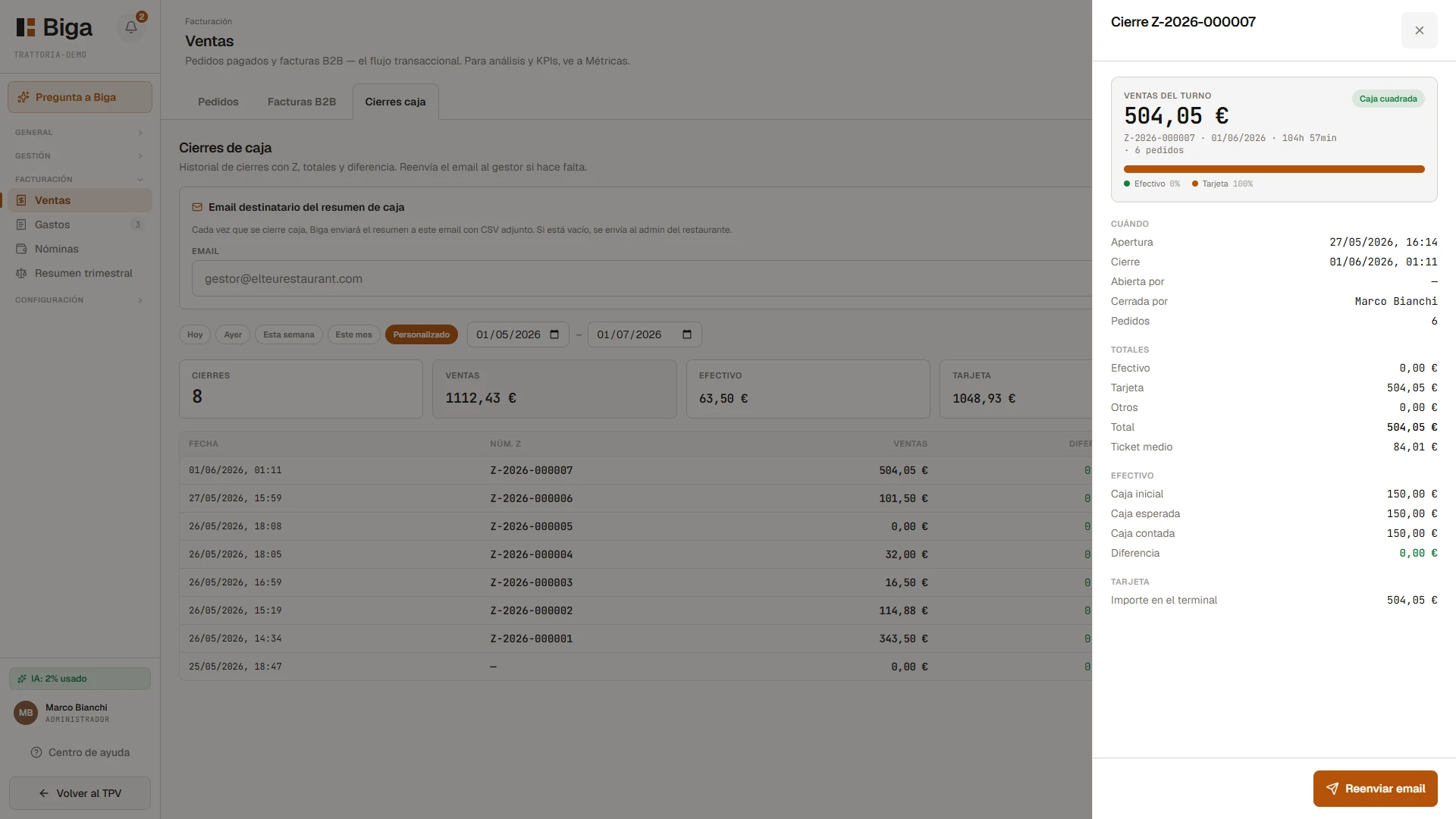
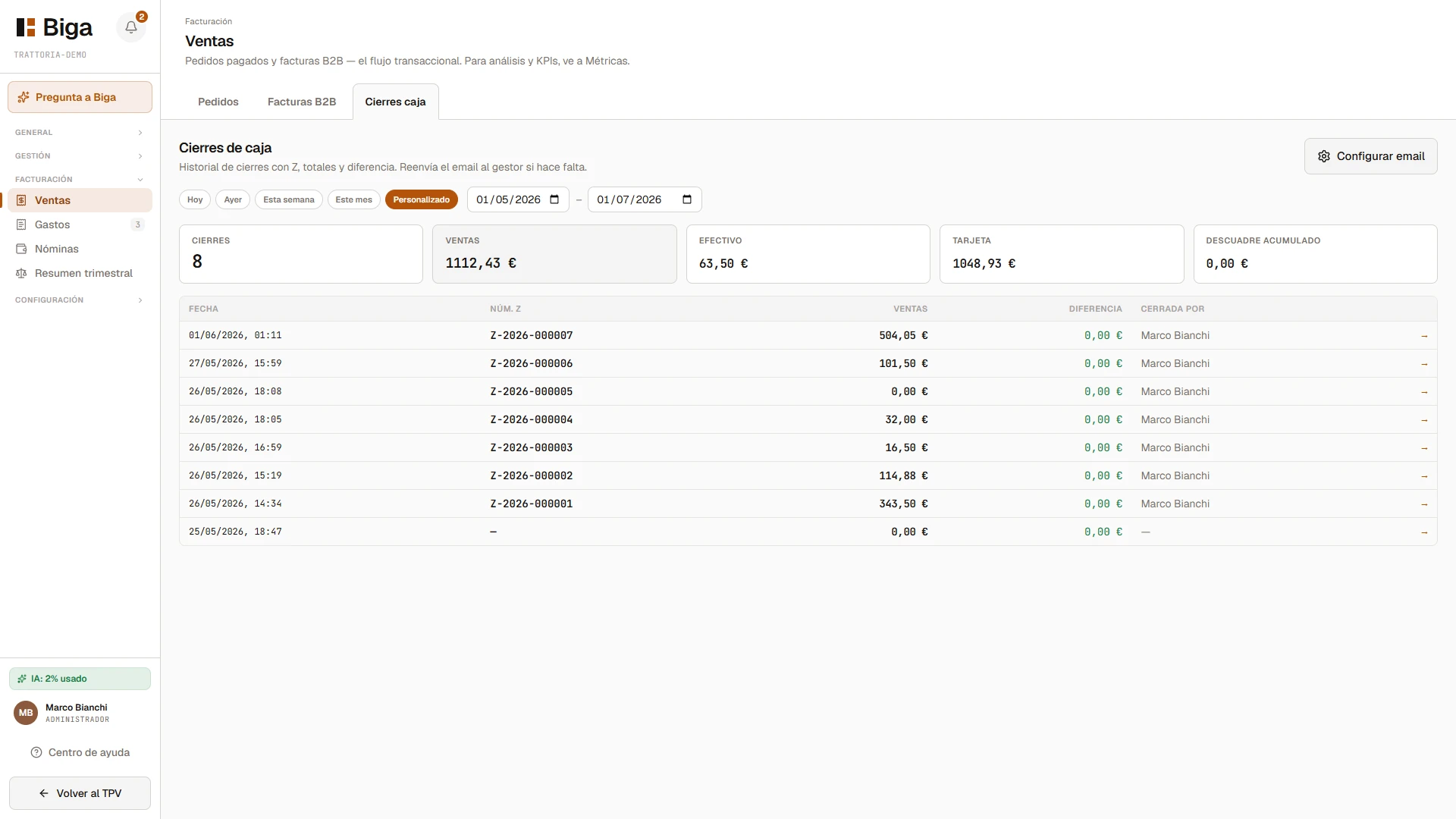
The history of closes with a Z number, totals by method and the difference. You see right away how much you've taken, how much in cash and how much by card, and whether the till balances. The summary goes to your accountant by email with a CSV attached, on its own.

Real cash close screen in Biga: period filter, summary cards (closes, sales, cash, card and discrepancy) and the table of closes with a Z number.
Detail of a cash close in Biga: shift sales, Z number, balanced-till status and the breakdown of cash, card and difference.
Z no.
Close report,
sequential and your own.
Balances
Expected vs counted cash,
difference flagged.
Email
Summary to your accountant
with CSV attached, automatic.

No skipped numbers. No till out of balance.
All tied together, all auditable.

B2B invoices

Invoices with a tax ID, in three steps.

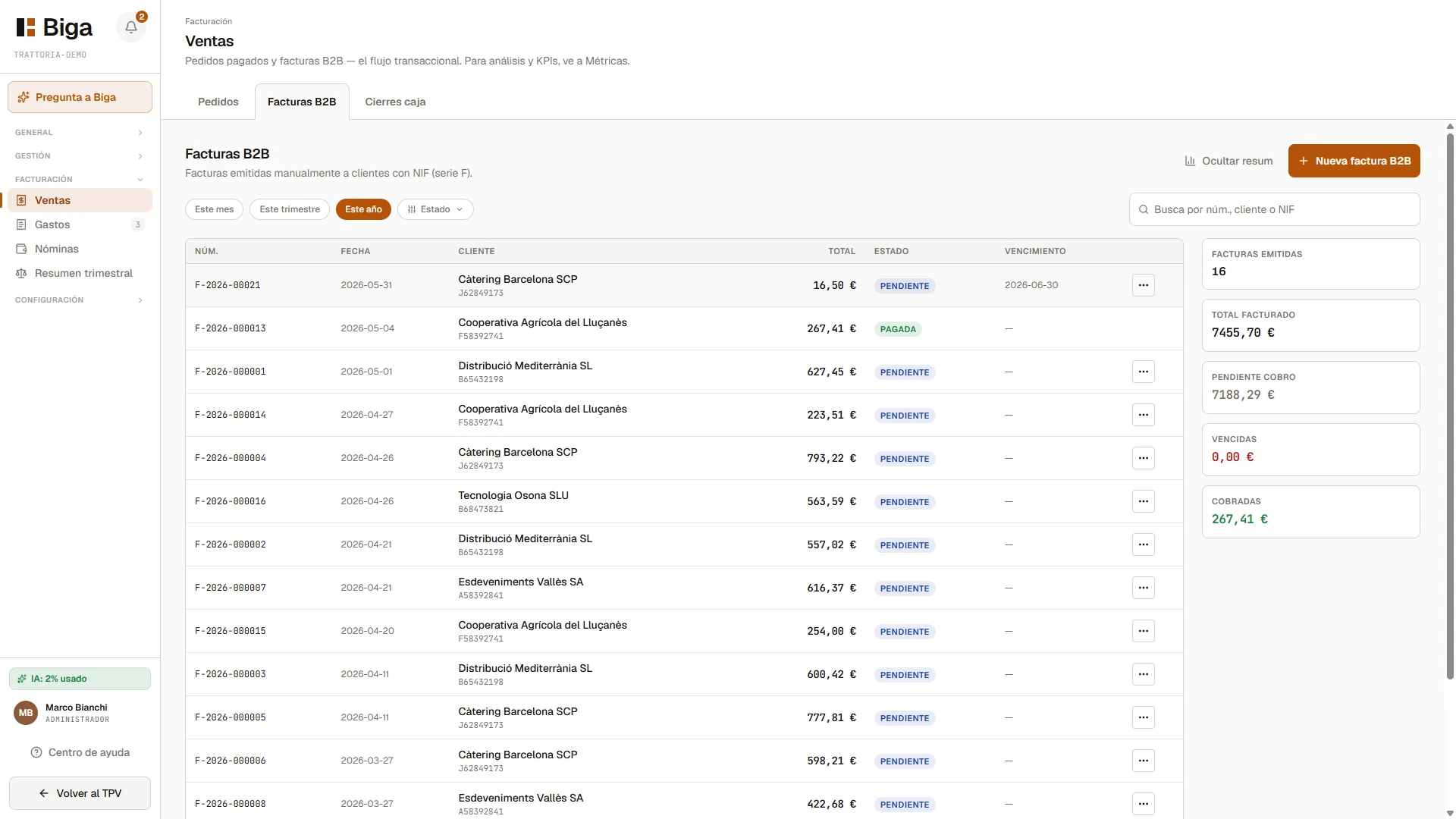
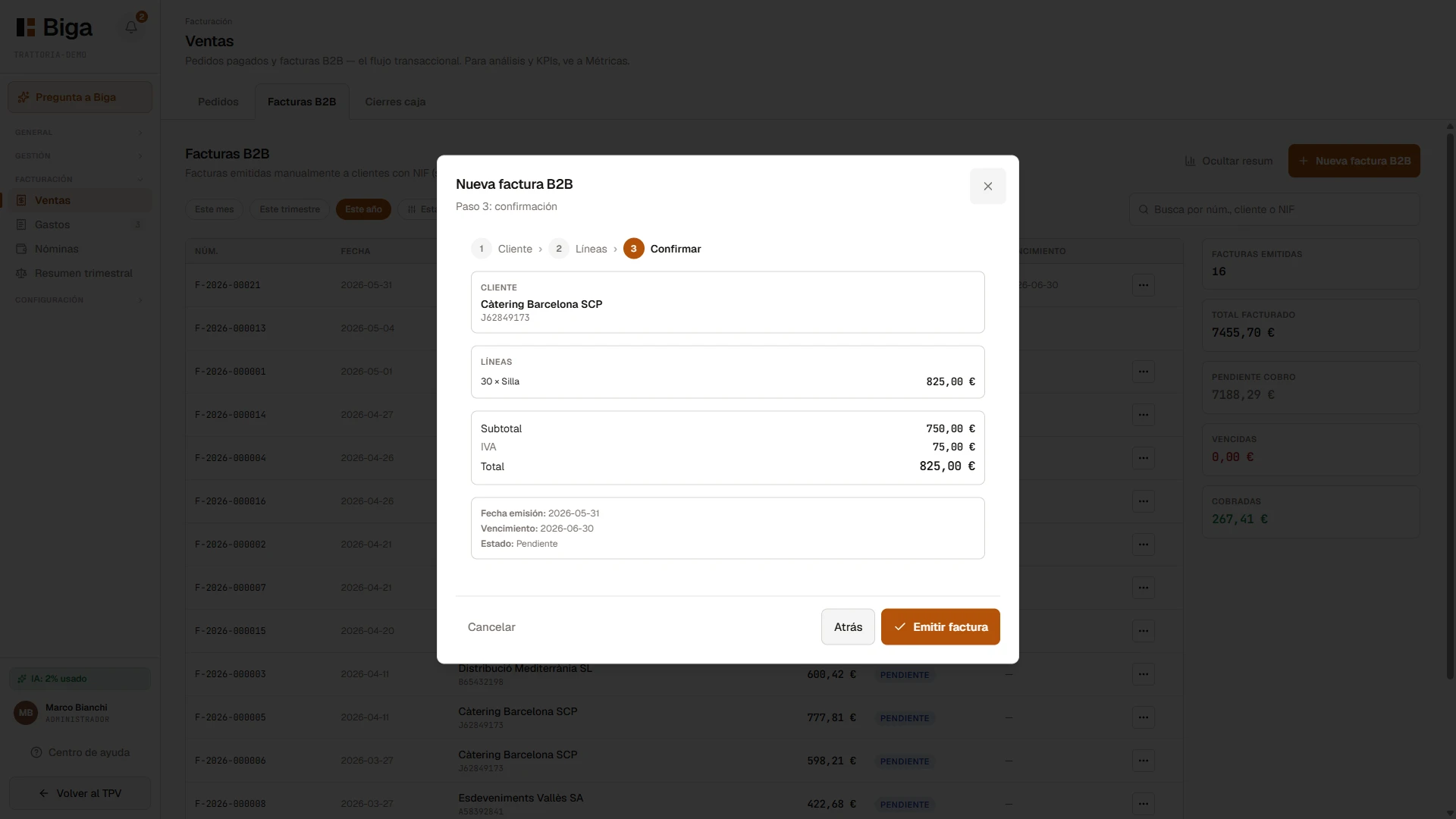
For business customers: pick the customer, add lines and confirm. Its own F series, VAT and due date calculated, payment status and a PDF ready to download or send. You can also turn an already-paid order into a B2B invoice.

Real B2B invoices screen in Biga: the list of issued invoices with F series, customer, total and status, plus a side summary of invoiced, outstanding and overdue amounts.
New B2B invoice wizard in Biga: confirmation step with customer, lines, subtotal, VAT and total before issuing.
Final document

The PDF, ready for the customer and the accountant.

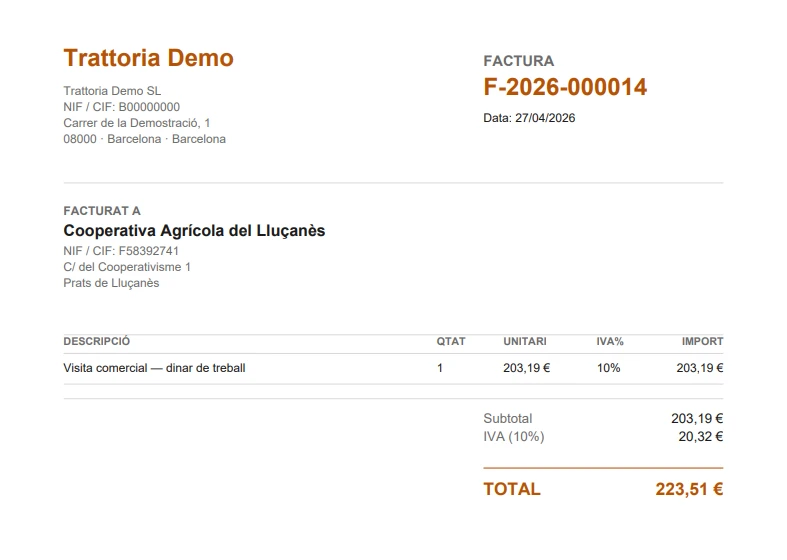
Each invoice generates its PDF with the tax details, the lines, the VAT and the due date. The very same document you download, send or attach — without putting anything together by hand.

Real PDF of a B2B invoice from Biga: header with the restaurant's tax details, the customer with their tax ID, the lines with VAT and the total.
For your accountant

And come quarter-end, everything's ready.

The income, the receipts and the invoices are already recorded and numbered. The quarterly summary organises itself for your accountant — and for analysis and KPIs, Metrics has everything live.

Quarterly
Organised summary
ready for your accountant.
Auditable
Sequential numbering
that never gets deleted.
Verifactu
Ready for when
it becomes mandatory.
Keep exploring

Every piece has its own screen.

Ready for your restaurant?

Serious invoicing.
No extra work.

You can try it in your own venue with your own data. No lock-in, no commitment, and with assisted migration from whatever system you're using right now.

Back to home
Book a demo

Come see it in action.

We'll call you within 24 h and give you a live demo with your own restaurant's data. No commitment, no card.

Or write directly to info@getbiga.com