Product · Payments

Charge any way you like.
Close without balancing by hand.

Pay it all, split it, free amount or by dish. Automatic fiscal receipt, NIF invoice when needed and a cash close that balances itself. All with sequential numbering, ready for your accountant.

See how it works
Payment modes

Four ways to charge, no juggling.

Every table is charged however the guest wants. There are no hidden "individual diners" in the system: a single order with a balance that drops with each payment.

1

Pay it all at once

The 80% case. One tap closes the table and issues the receipt.

2

Split evenly

The total split N ways. The system works out each share and logs the rounds.

3

Charge a free amount

Any amount. Handy when a guest pays "whatever".

4

Charge specific dishes

Tag each person's dishes and charge their exact subtotal.

The modes, in action
The modes work together: you can charge some dishes in cash, the rest split evenly by card and close the table when the balance reaches zero.
Fiscal receipt

When the balance hits zero, the receipt is already done.

You don't take any extra step. As you charge the last euro, Biga issues the fiscal receipt with sequential numbering per restaurant and year. At the table you hand over the proforma and the receipt only prints if the guest wants it — less paper. Every payment is logged with its method and time.
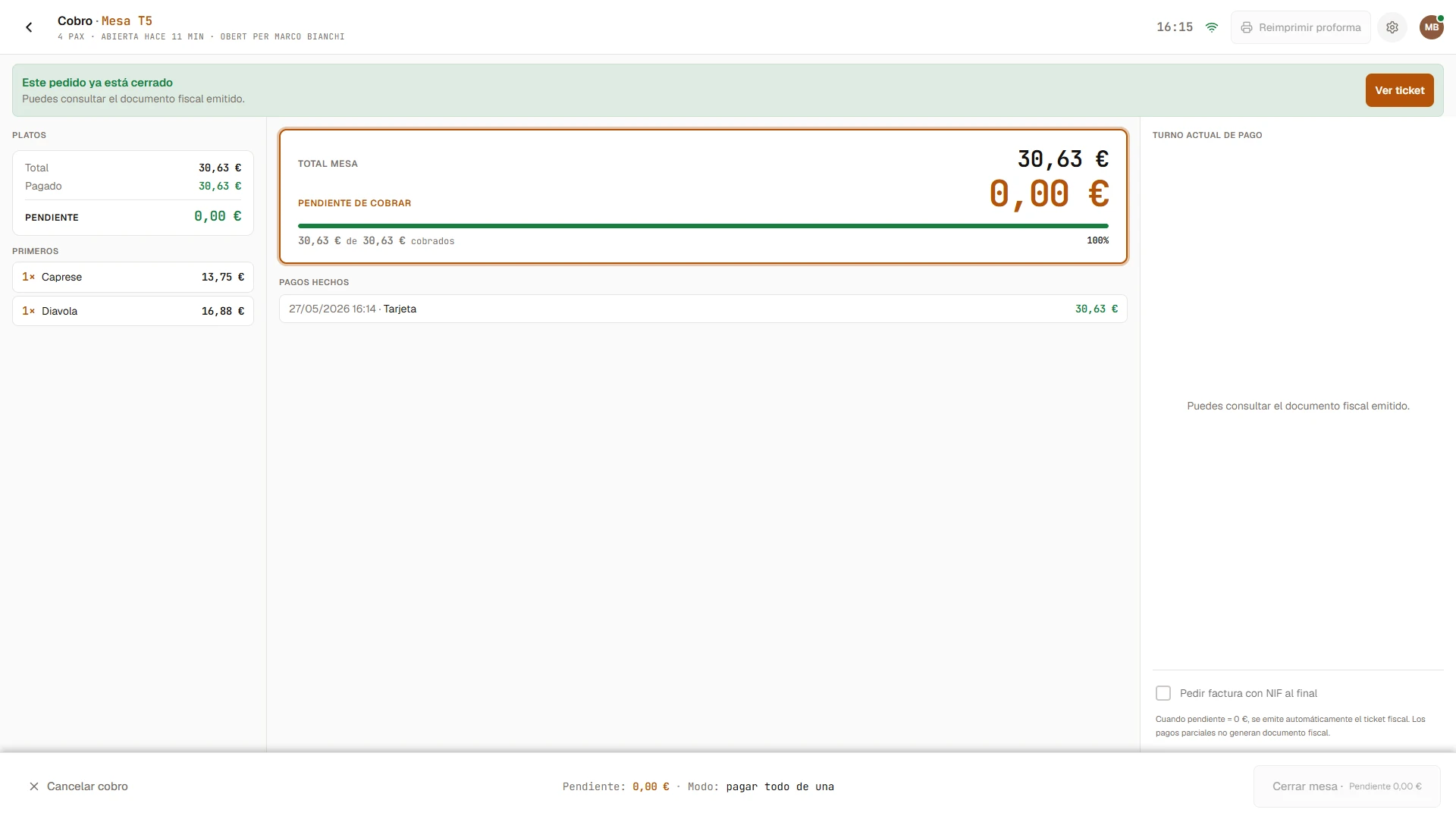
Payment screen of a table already closed: total 30.63 €, balance 0.00 €, bar 100% paid, payment made by card and a View receipt button.
Auto
Issued on its own with a serial no.;
printed on demand.
Series T
Sequential numbering
with no gaps or jumps.
Verifactu
Schema ready
for the legal deadline.

No calculator. No spreadsheet.
The cash balances itself.

B2B invoice

An invoice with NIF whenever the client asks.

Tick "invoice with NIF" before charging and Biga asks for the client's tax details. The invoice replaces the receipt, with its own series. And if the client asks later, you can also turn a receipt into an invoice.

NIF
Client's tax details
(legal name, address).
Series F
Its own numbering
independent from receipts.
PDF
Generated automatically,
downloadable as PDF.
Cash management

The shift closes itself.

The expected amount is worked out automatically: opening float plus cash payments minus payouts. You just count what's in the drawer, the system shows the difference and issues the Z close. The shift documents are ready for your accountant.
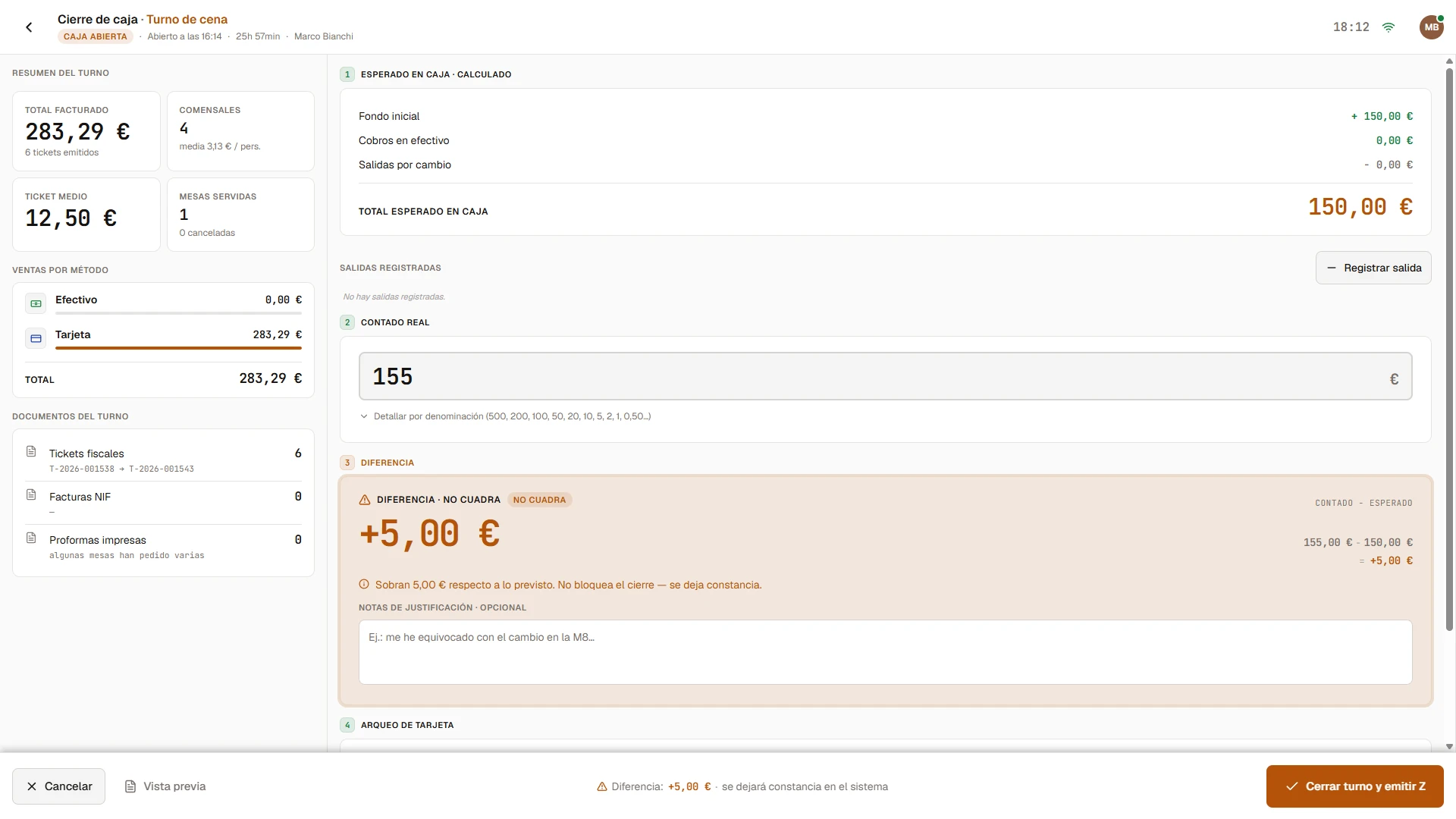
Cash close screen with the shift summary, the expected amount calculated (150 €), the actual count (155 €) and the +5 € difference flagged as 'does not balance' — it doesn't block the close, it's recorded with a justification note.
Expected
Worked out on its own: float +
cash − payouts.
Z
Close with sequential
numbering.
3 docs
Receipts · NIF invoices ·
shift proformas.
Keep exploring

Every piece has its own screen.

Ready for your restaurant?

Charge any way you like.
Close without balancing by hand.

You can try it in your own venue with your own data. No lock-in, no commitment and with assisted migration from whatever system you use right now.

Back to home
Book a demo

Come see it in action.

We'll call you within 24 h and give you a live demo with your own restaurant's data. No commitment, no card.

Or write directly to info@getbiga.com