MT32 pax
2 min3 dishes
Starters 2
1×Bruschetta al pomodoro
1×Burrata pugliese
Mains 1
1×Pizza Margherita— basil
A dark screen built for the light of a real kitchen. Every dish with its own timer from the moment the waiter sends it. One tap on "Ready" and the floor knows. No ticket paper, no shouting across the room.
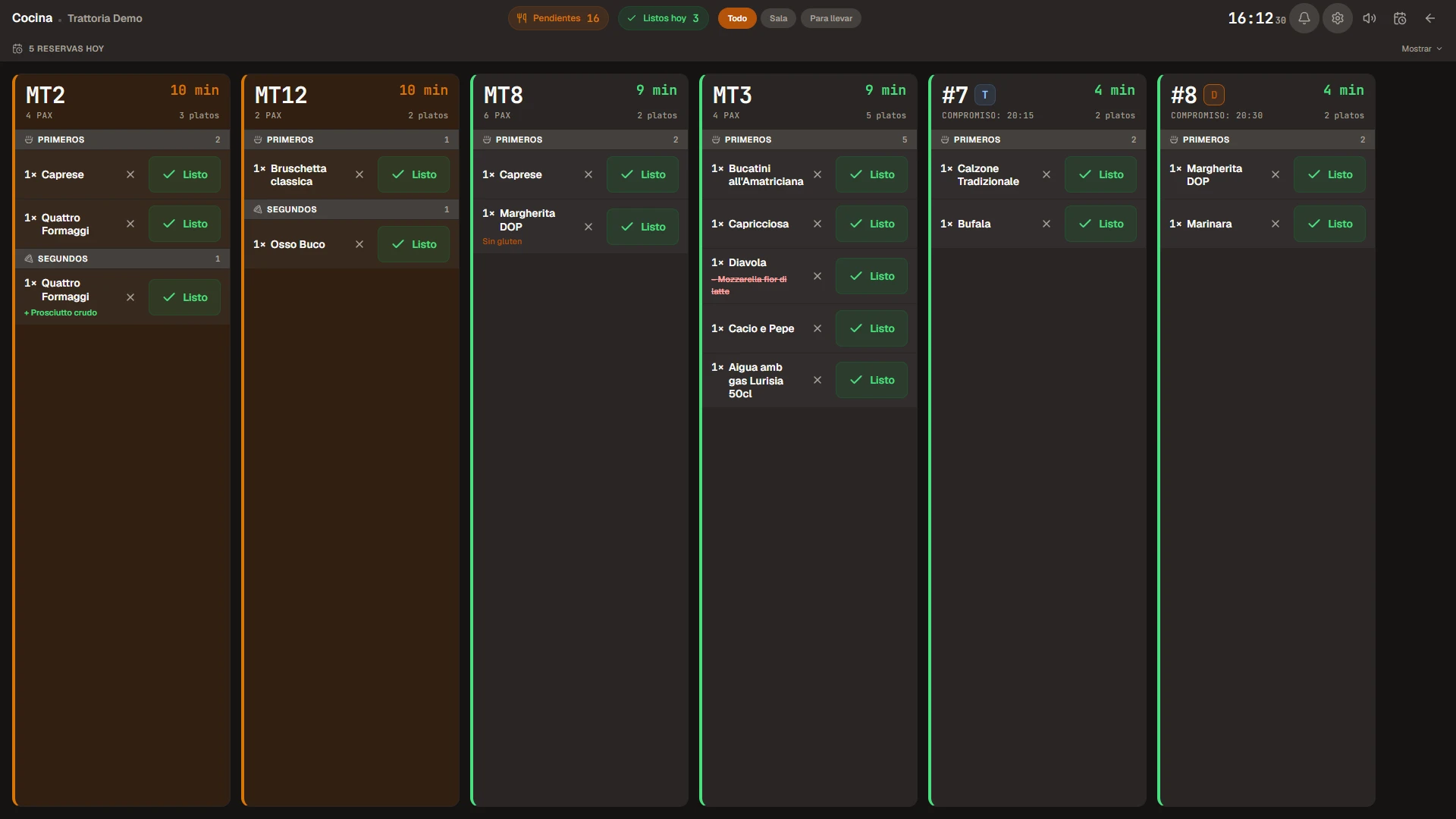
Live screen The timer counts up on its own and changes colour — green, yellow, red
Each card is a table. At the top: number, guest count, number of dishes and the time since send. Below: dishes grouped by course, with modifiers, ingredients struck through to "remove" and extras listed to "add". A single tap on the green "Ready" and it's done.
Table, pax, pending dishes and the time. The colour of the timer changes with how many minutes have passed since it was sent.
Starters, mains, desserts. Items are grouped by the service course, not by the catalogue category.
Gluten-free, lactose-free, pizza extras. Always under the dish name, no confusion.
Ingredients struck through if the guest removes them (— Mozzarella) or added if they want extra (+ Prosciutto crudo).
The Dine-in and Takeaway tabs keep what's eaten in the restaurant apart from what leaves it. Every takeaway order shows the time promised to the customer so the kitchen can prioritise without doing the maths in their head.
The kitchen and the floor speak the same language.
In sync, live.
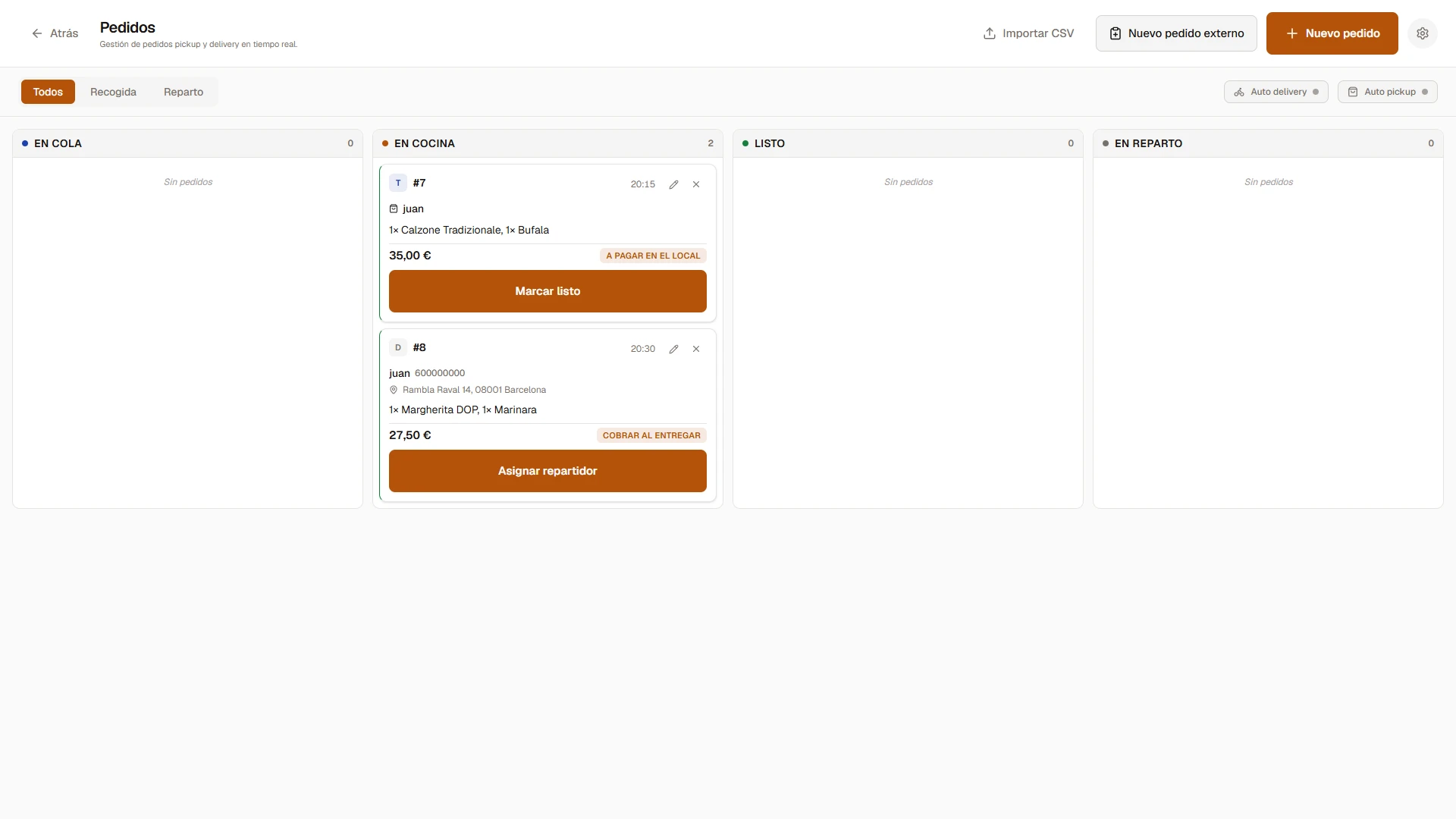
When the kitchen marks the last dish of a takeaway order as Ready, its card on the /tpv/comandes board moves automatically from In kitchen to Ready. For delivery, the system assigns the available rider with the lightest load.
The top tabs filter the view in one tap: Pending (to do now), Ready today (a quick review), All (full overview), Dine-in and Takeaway (by channel). The cook adapts to the moment of service.
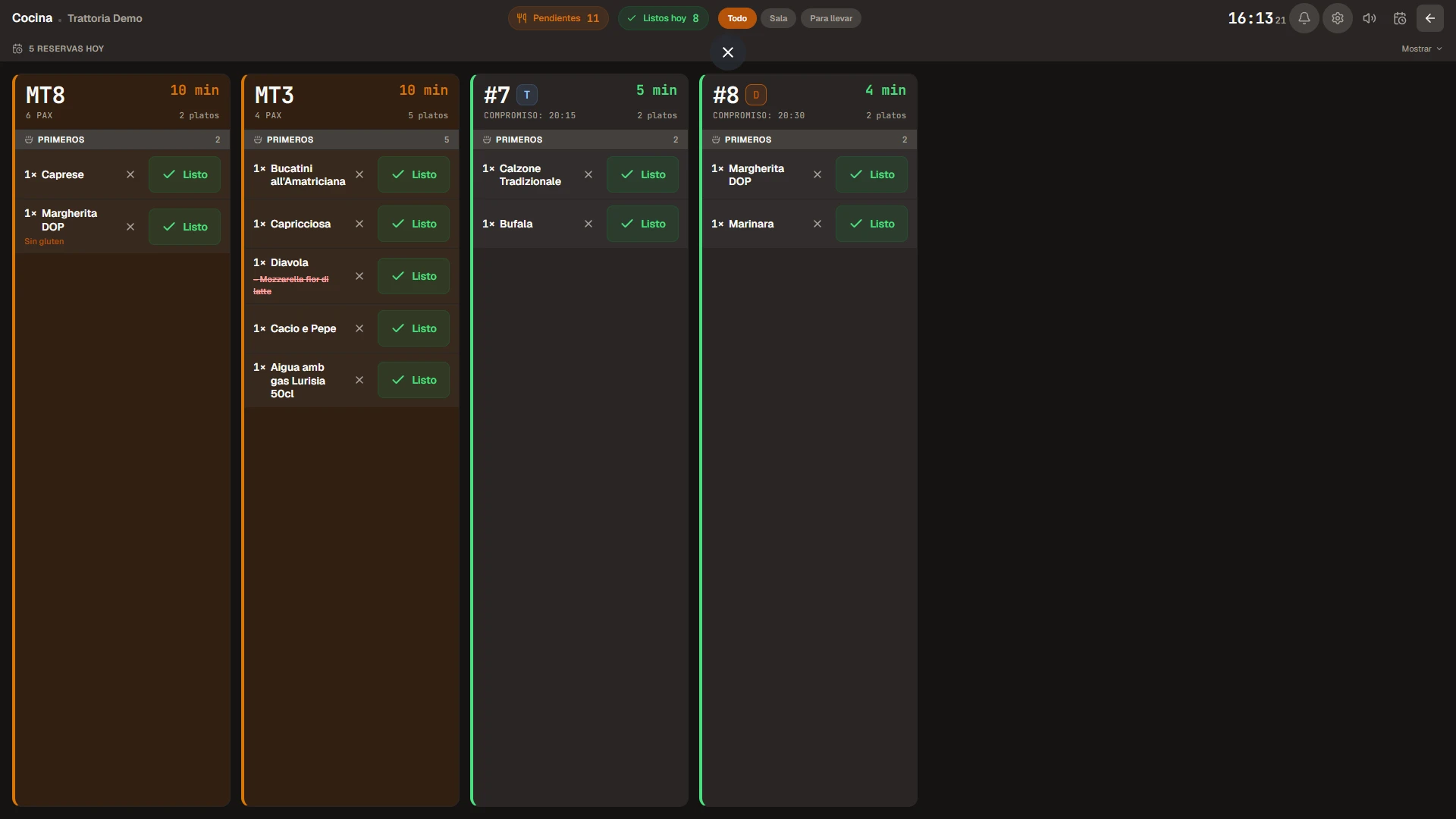
A kitchen is a bright place: extractors, halogens, windows. A light screen dazzles. Ours is dark — the only exception in Biga, and it's no accident.
Green for the first minutes, yellow when you're running late, red when you've taken far too long. The cook knows where to prioritise without thinking.
Tap "Ready" and it's done. No confirmation, no submenu to dig through. The cook's hands are full — the interface respects that.
No paper to get ruined by grease. No order lost because it fell. No illegible copy because the waiter writes badly. Everything on the screen.
Come and see it running in a real restaurant. No lock-in, no commitment, with assisted migration from whatever screen you use today.