Product · Floor

Your floor plan,
live.

A fixed screen to see the whole floor at once. A phone in hand to take the order right next to the guest. All in sync — with nothing to remember.

See how it works
41
tools
in a single one
<1s
from the floor
to the kitchen
0 €
commissions per
booking or pickup
Live floor plan

The whole floor, without moving.

Every table with its real status: free, occupied, in service, ready to pay, reserved or needs cleaning. All tied to the kitchen and payment in real time — no reloading, no shouting across the room.

  • Live statuses · orange for occupied, green for ready to pay, striped blue for reserved.
  • Upcoming bookings highlighted on the right table before the guest arrives.
  • "X dishes in service" alerts on the attention panel, so nothing goes cold in the kitchen.
  • Three views · graphic floor plan, grid or list, to match how each waiter likes to work.
FREE
OCCUPIED
READY TO PAY
IN SERVICE
RESERVED
Fixed terminal

A clean order from the first tap.

A catalog by category and a modal for each dish with modifiers, kitchen notes, removing recipe ingredients and adding extras. The cart is organized by course (starters, mains, desserts) so the kitchen gets the right thing at the right time.
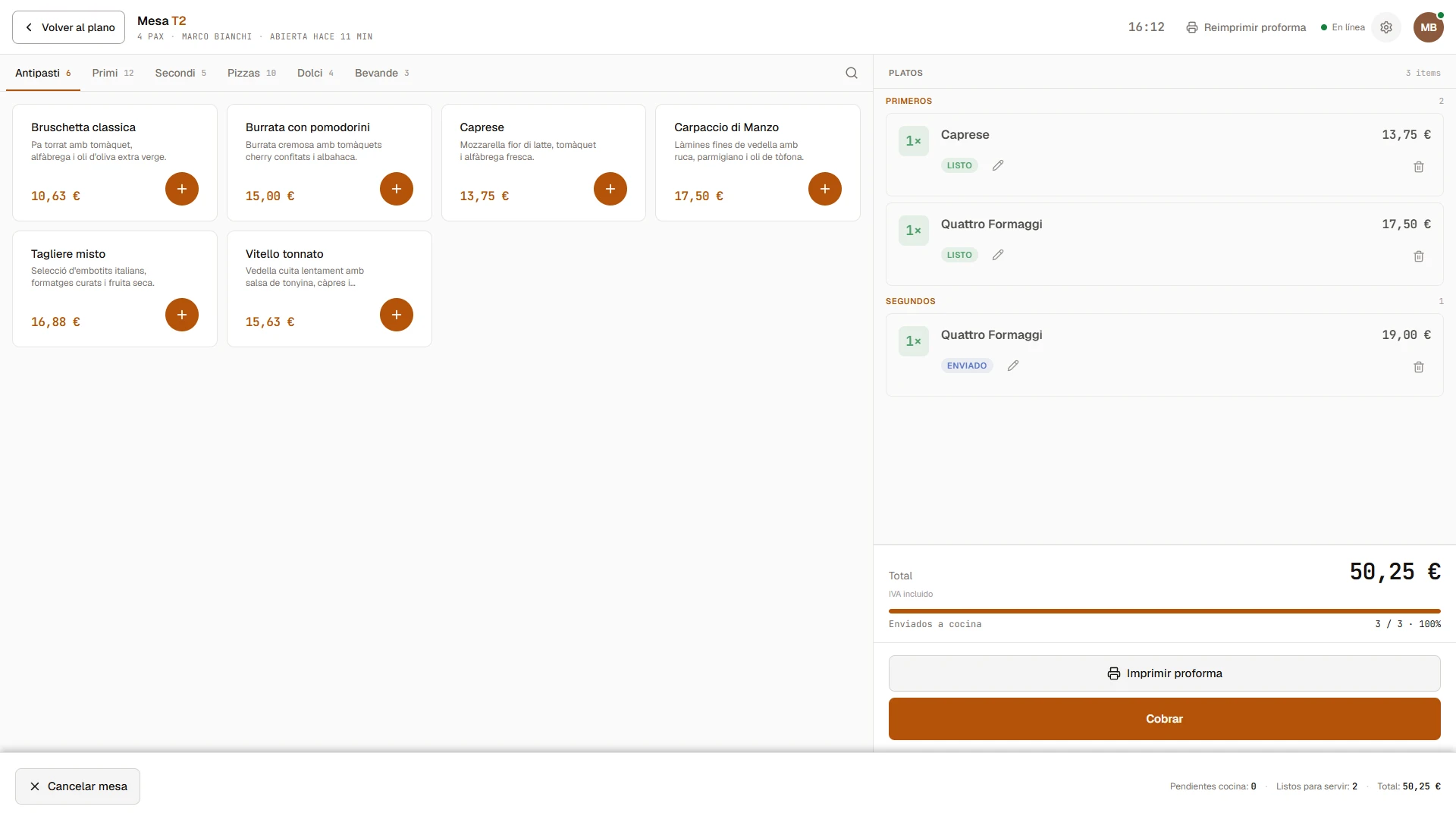
A table's terminal with the catalog on the left (Antipasti, Primi, Secondi, Pizzas...) and the cart on the right with dishes grouped by course. Total 50.25 € and a Pay button.
100%
sent to the kitchen
without a second thought
3 states
sent · ready ·
cancelled, fully traced
N
proformas printed
before charging

The waiter stays next to the guest.
The whole POS, on the phone too.

Mobile ordering

The whole floor in your pocket.

The same tool in a vertical layout. The waiter opens the table, picks dishes with modifiers and kitchen notes, and sends it with one tap — all next to the guest, with no trip back to the counter to type anything.

The whole flow in one tap — pick the table, add the dishes and send to the kitchen without going back to the counter.

Mobile
Works on any phone,
Android or iPhone.
−/+
Remove and add ingredients
with a single tap.
Sync
Instant across phones,
tablets and the fixed POS.
The start of the shift

Start the shift with everything clear.

When you open the POS, you find a clean floor plan, the day's bookings and a summary of what's ahead. Everything in its place, with no hidden menus or extra steps to open the till.
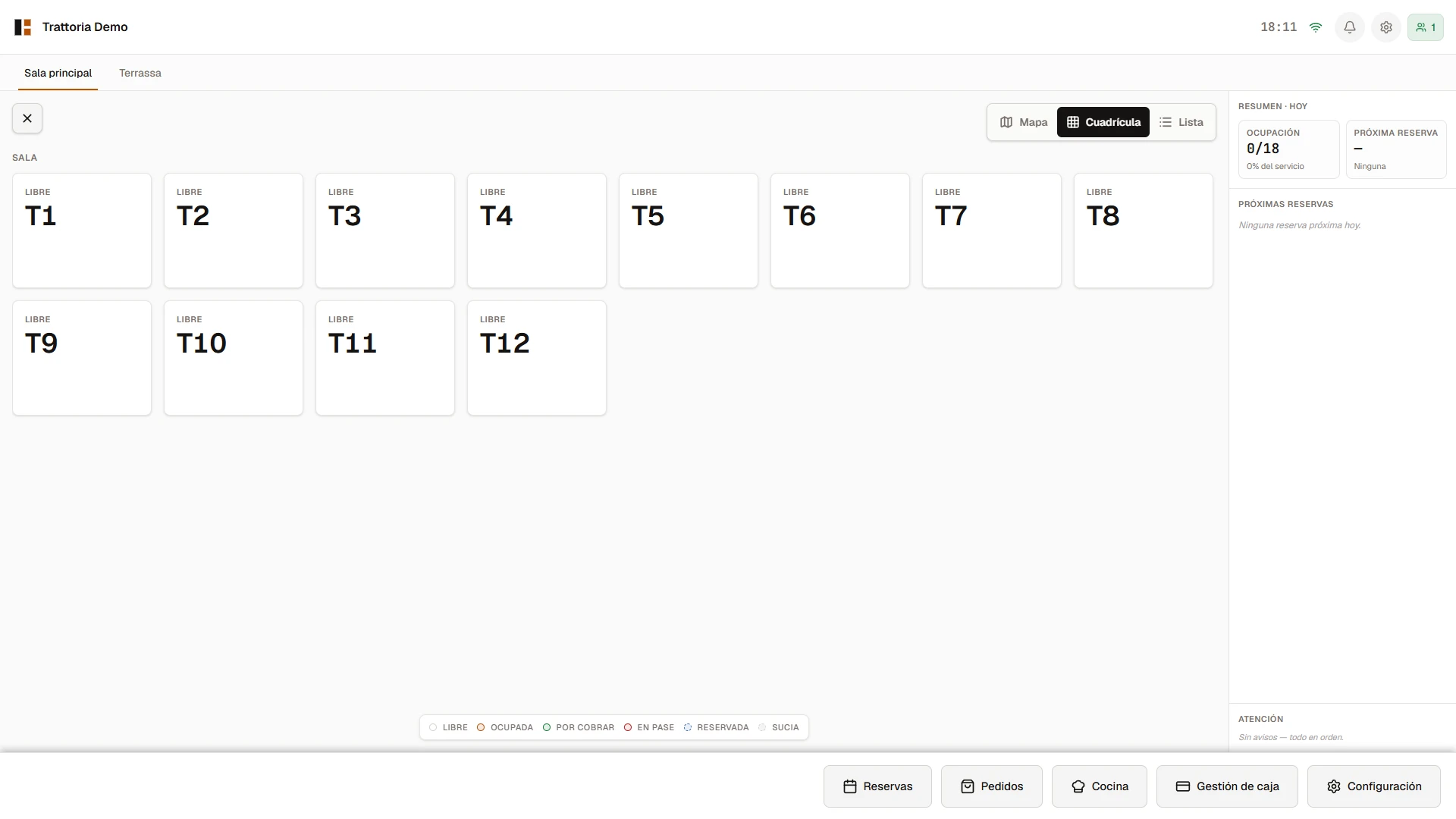
  • Day summary · expected occupancy, next booking and attention alerts.
  • Fixed bottom bar · bookings, orders, kitchen and till management always at hand.
  • Status legend always visible — no doubt about what each color means.
An empty floor plan at the start of the shift. Twelve free tables in a grid with the right-hand panel showing Occupancy 0/18 and no alerts.
No proprietary hardware

Works with what you already have

Biga runs in the browser: it opens on any touchscreen, tablet or phone, and prints to standard receipt printers. No pricey terminals to buy, no vendor lock-in.

Tablet or touchscreen

The POS and the floor plan. Any tablet or touch monitor with a browser will do.

Phone

The waiter's order pad at the table and the courier app. The phone already in your pocket.

Receipt printer

Standard ESC/POS printers, over network or USB. Kitchen tickets and fiscal receipts.

If you have a browser, you have Biga.

Keep exploring

Every piece has its own screen.

Ready for your restaurant?

A POS built for restaurants
that want to work with peace of mind.

You can try it in your venue with your own data. No lock-in, no commitment, and with assisted migration from whatever system you use right now.

Back to home
Book a demo

Come see it in action.

We'll call you within 24 h and give you a live demo with your own restaurant's data. No commitment, no card.

Or write directly to info@getbiga.com