The real app
And this is how it really looks.
The recreation above is there to show you fast; this is the real back-office screen in Biga, exactly as you'll see it in your restaurant.
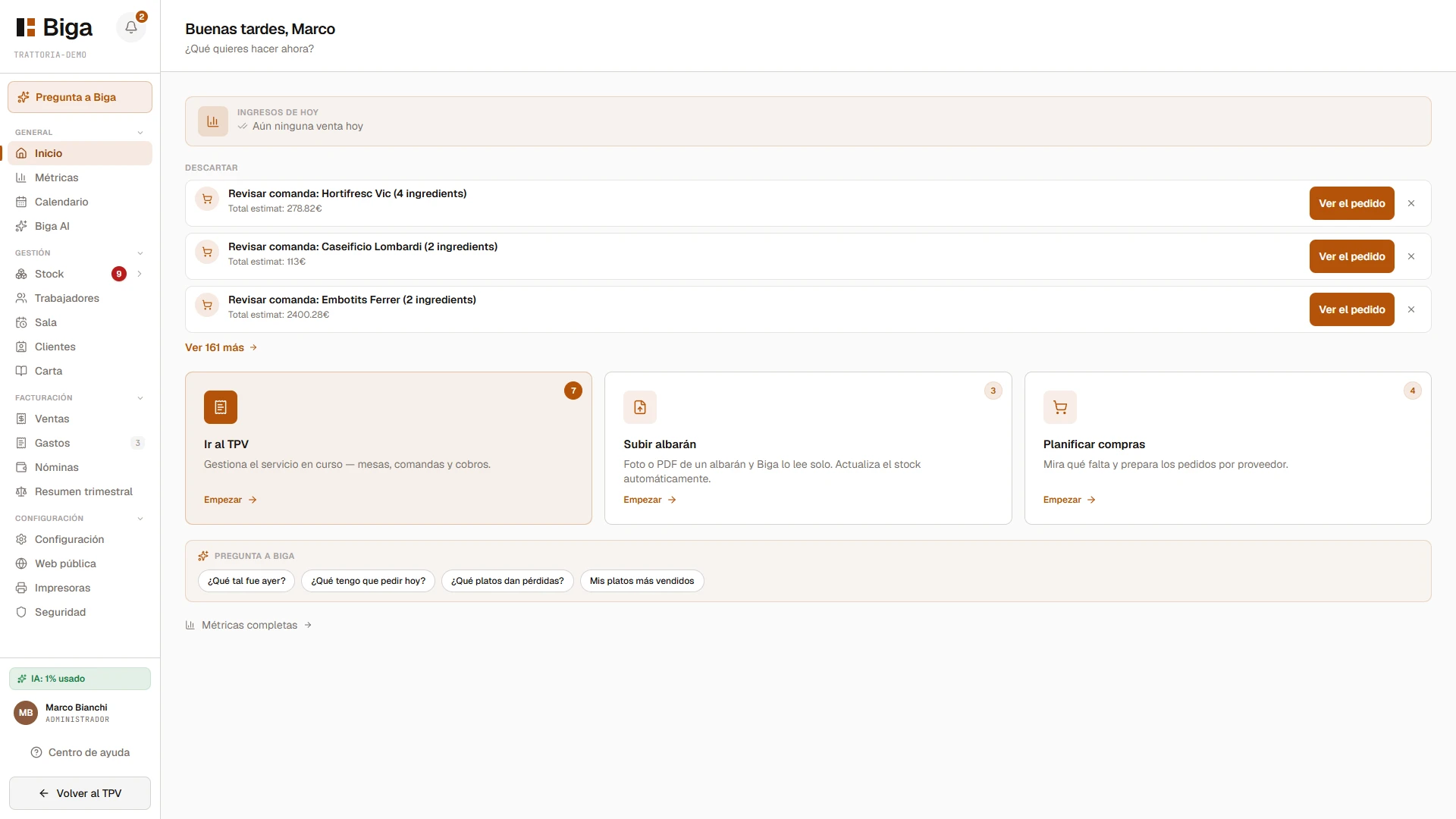
Open Biga and you already know what to do: today's revenue, the tasks waiting for you, the most useful quick actions and an assistant that answers questions about your restaurant. No hidden menus.
The recreation above is there to show you fast; this is the real back-office screen in Biga, exactly as you'll see it in your restaurant.
Instead of a blank screen, Biga greets you with a snapshot of your business and the things that need your attention — ready to handle with a single tap.
"How did yesterday go?", "What should I order today?", "Which dishes lose money?". Biga answers with your real data — sales, margins, stock and reservations — in plain language.
No hidden menus. No extra steps.
What matters, on the first screen.
You can try it in your venue with your own data. No lock-in, no commitment, and with assisted migration from whatever system you're using right now.