What are reservations
Biga manages the restaurant’s reservations from an agenda integrated with the table plan. Reservations can be entered manually (by phone, in person) or come in through the restaurant’s public website.
The reservations agenda
The agenda is a single column, designed like a paper diary:
- At the top, a 7-day strip (Today, Tomorrow, Fri 14…) with each day’s reservation count.
- Below it, the day summary (reservations and guests), the search box and the New reservation button.
- And the chronological list of the day’s reservations, grouped by service (Lunch / Dinner).
From here you create, edit and track the status of each reservation. You can view the day in three ways, using the List / Plan / Combi switch:
- List — the pure chronological agenda, grouped by service.
- Plan — the table plan (just like the POS one), with the reservation written on top of each table. From here you can seat a reservation or move it to another table by tapping it.
- Combi — the list and the plan at once, side by side. Ideal on a large screen.
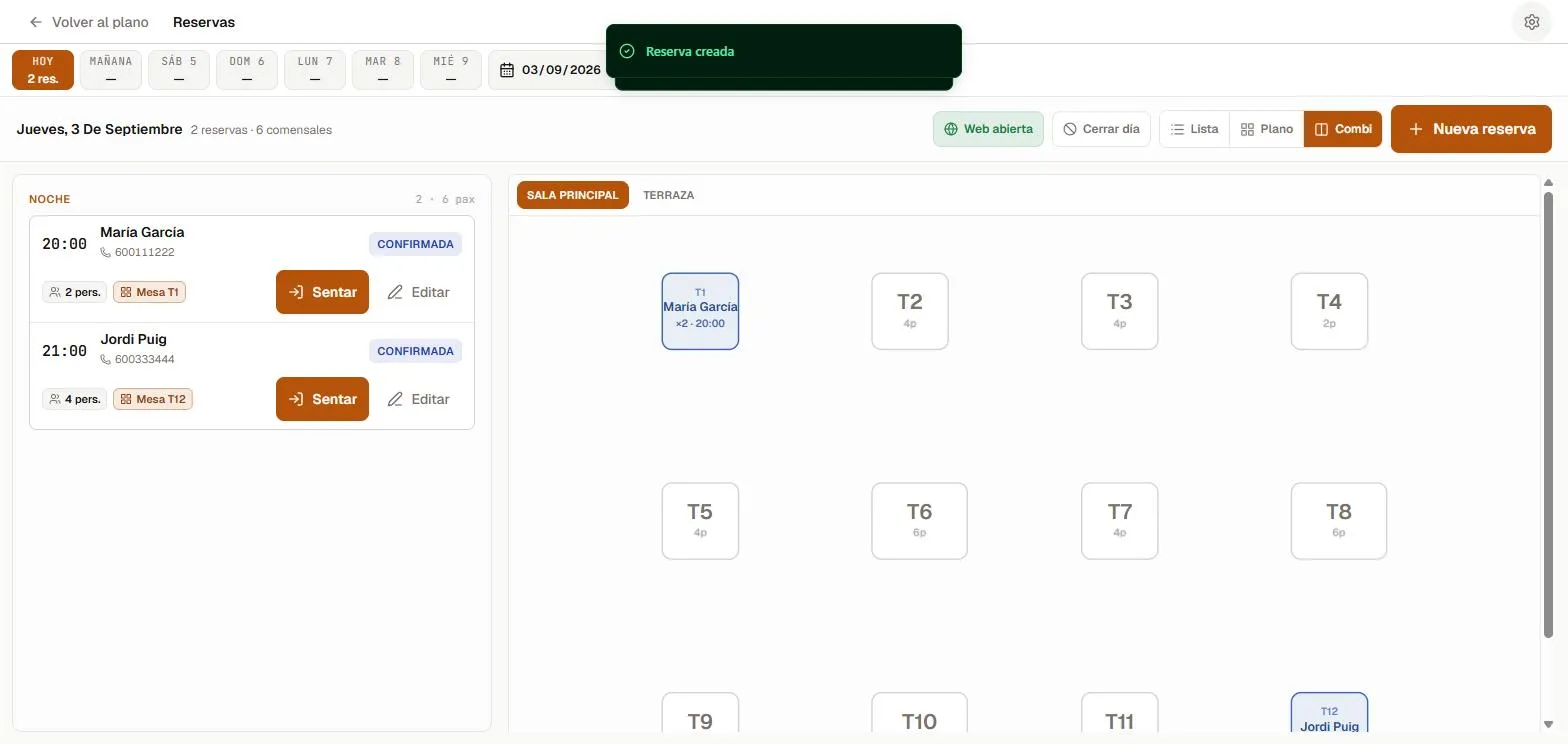 The Combi view shows the reservation list and the table plan at once.
Reservation statuses
- Confirmed — the reservation is firm.
- Seated — the guests have arrived and are at the table.
- Completed — the service has ended.
- No-show — they didn’t turn up.
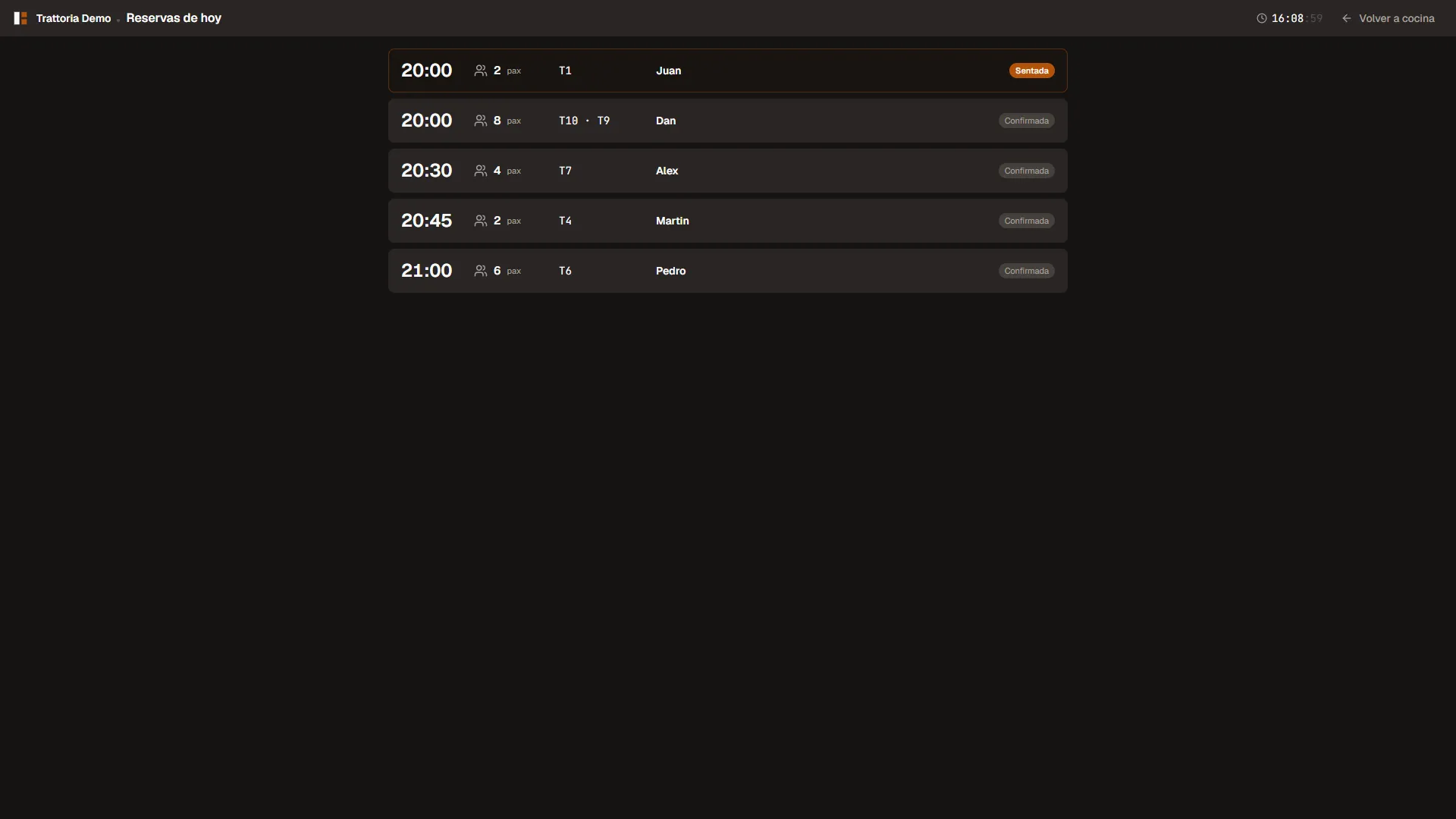 Today’s reservations, with their current status.
Create a reservation
- Tap New reservation.
- Enter the date and time, the number of guests and the customer’s details (name and phone).
- Assign a table (or let Biga suggest an available one).
- Save.
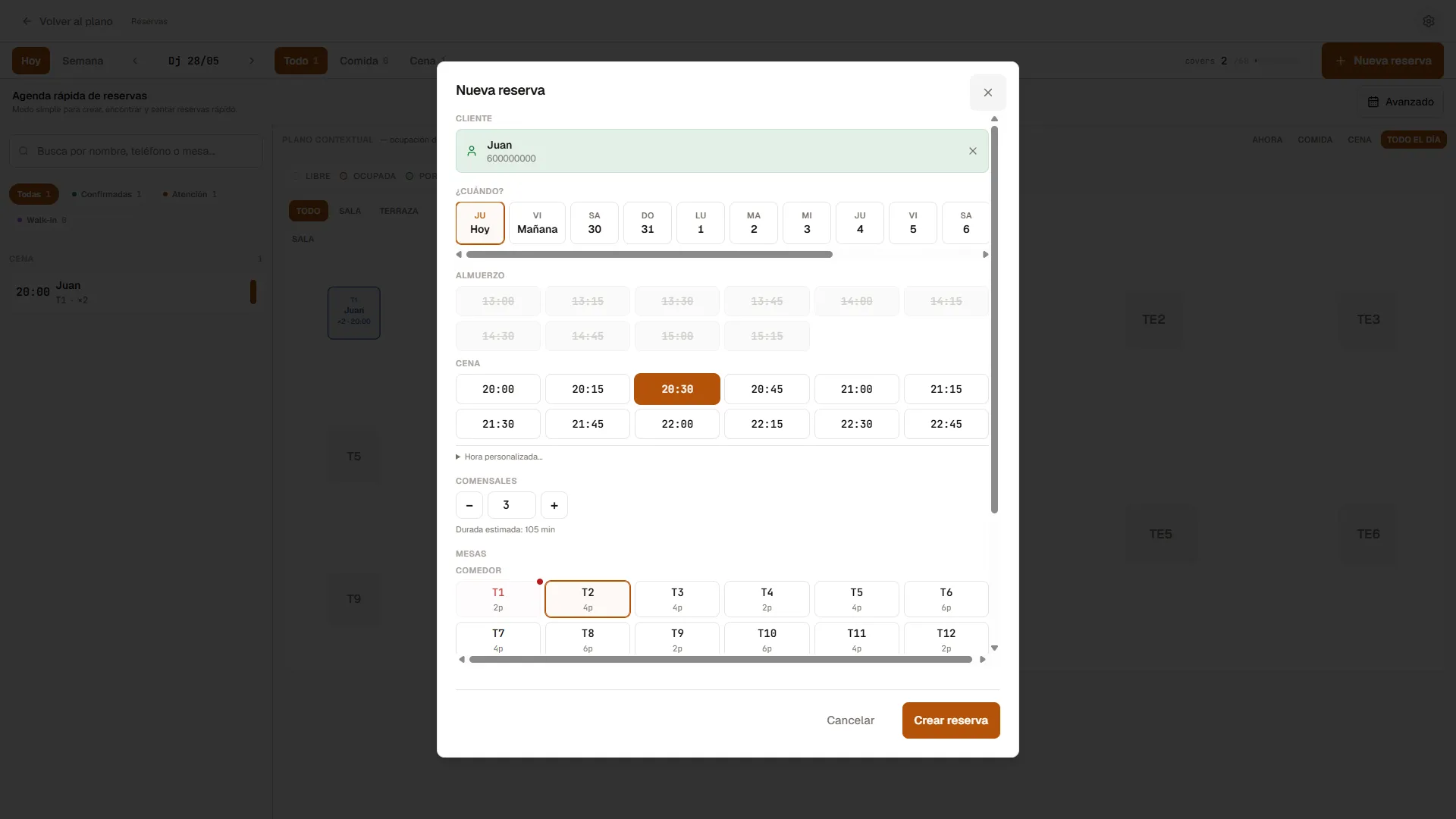 Step by step: date, time, guests and table.
Reservations from the website
If you have the public website enabled, customers can book on their own. The reservation goes straight into the agenda, with no phone calls.
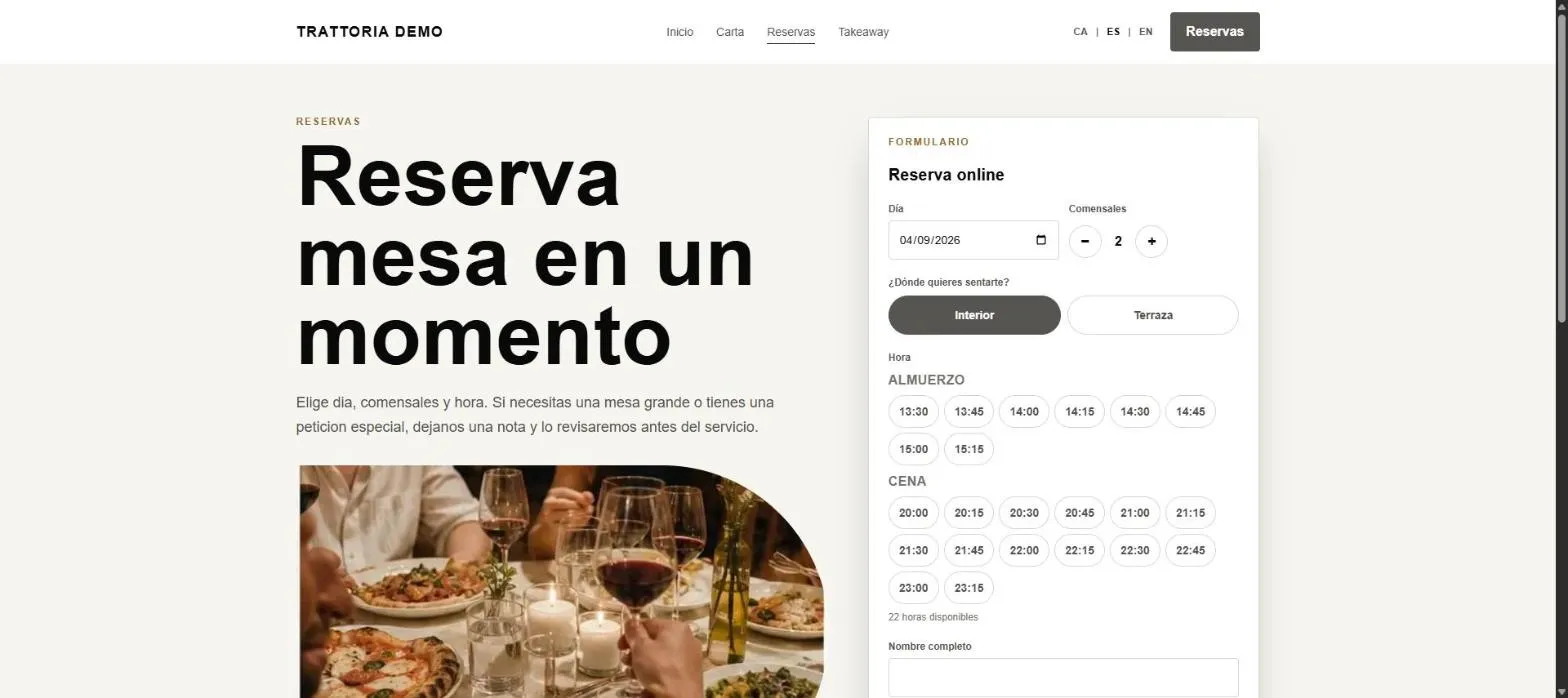 The customer books from the website; you see it in the agenda.
Every reservation that comes in through the website always gets a table assigned automatically. If a party doesn’t fit on any single table, Biga combines free tables to seat them, so no web reservation is left without a spot.
New-reservation email alert
If you want to hear about a website reservation instantly, set an alert email in Settings → Reservations (“Reservation alert email”). Every online reservation will send an email with the details to that address. If you don’t set one, Biga uses the cash-closing email or, failing that, the first administrator’s.
Capping covers per time slot
So you don’t take more people than you can serve at the same time (e.g. four large parties at 9 pm), you can set a maximum number of covers per slot in Settings → Reservations. Once a slot reaches the cap, the website stops offering that time and the customer has to pick another. Phone and POS reservations aren’t blocked: the cap is only for the website’s self-booking.
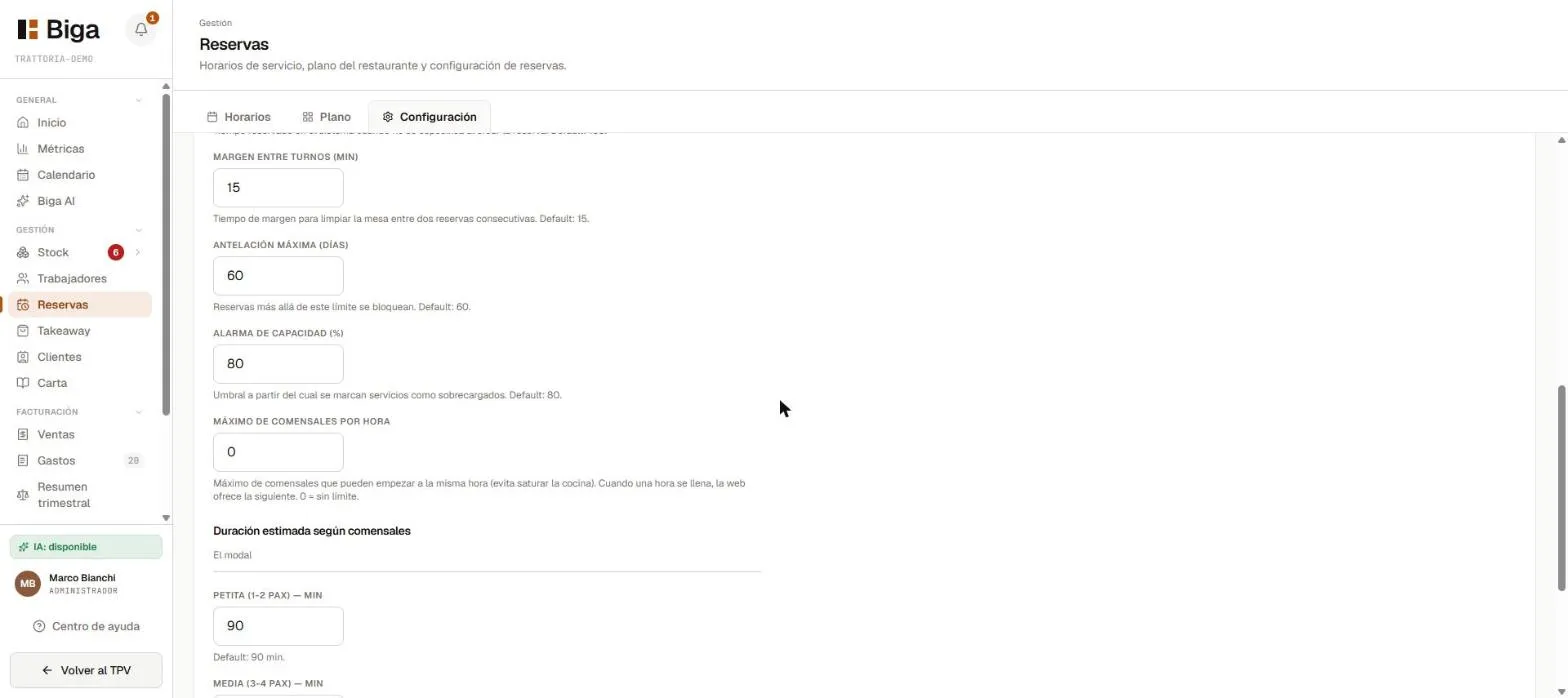 “Maximum covers per hour”: 0 means no limit.
Disabling a table for the website
You can decide that a given table is never offered for online reservations, even when it’s free —for instance to avoid filling the whole place on a particular day—. In the table editor (Reservations → Floor plan, tap a table) every table has a Bookable online switch. If you turn it off, the website will never assign that table, but you keep using it normally at the POS and for manual reservations.
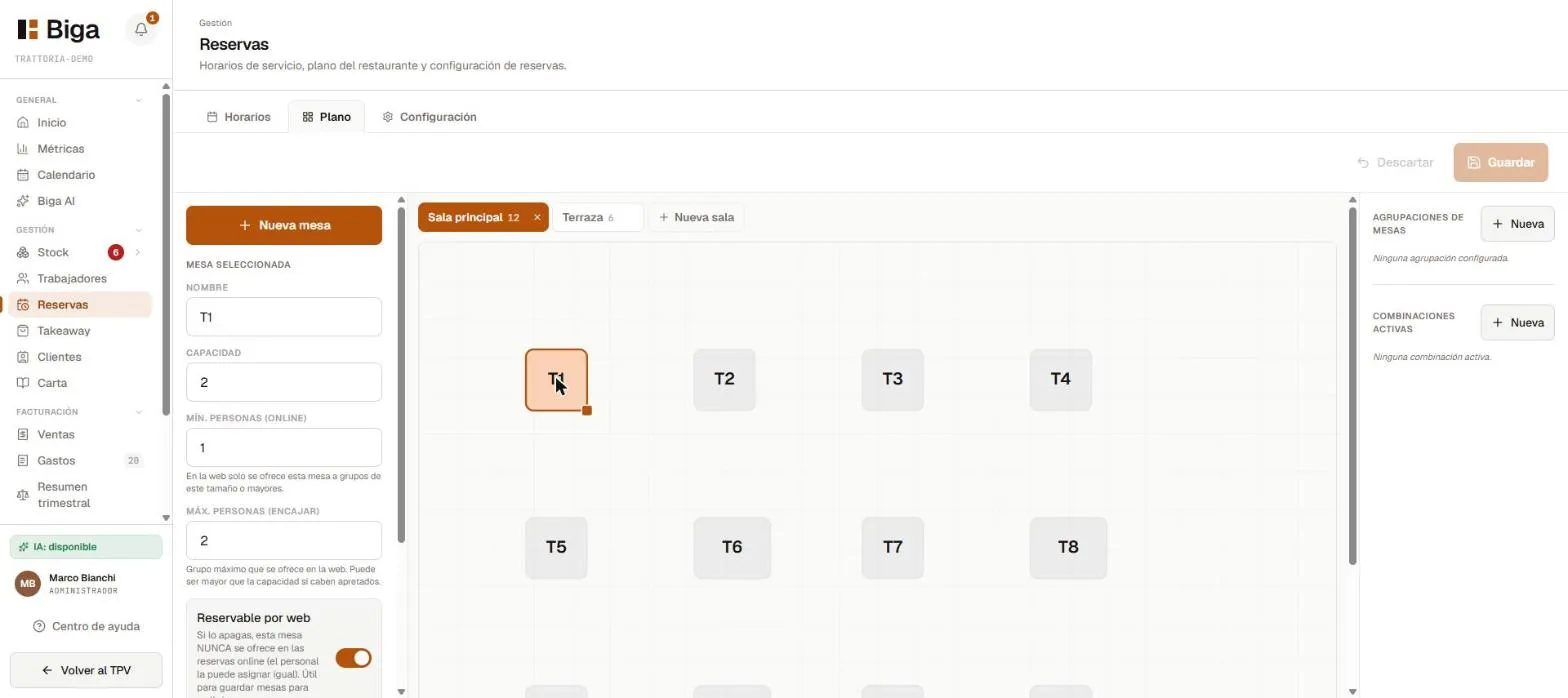 Each table has its own “Bookable online” switch, along with its capacity and the min/max party sizes for the web.
Turning reservations on or off
In the reservations settings you have two independent switches:
- The restaurant takes reservations — the module’s master switch. If you turn it off, reservations disappear everywhere: the POS, the waiter app, the kitchen and the side panel stop showing them, and the public website won’t accept any. Meant for restaurants that work on a first-come, first-served basis only.
- Online reservations active — controls the public website only. If you turn it off, the website stops accepting new reservations, but phone and POS reservations keep working.
From your phone
The manager can also view and create reservations from their phone, during service or away from the venue.
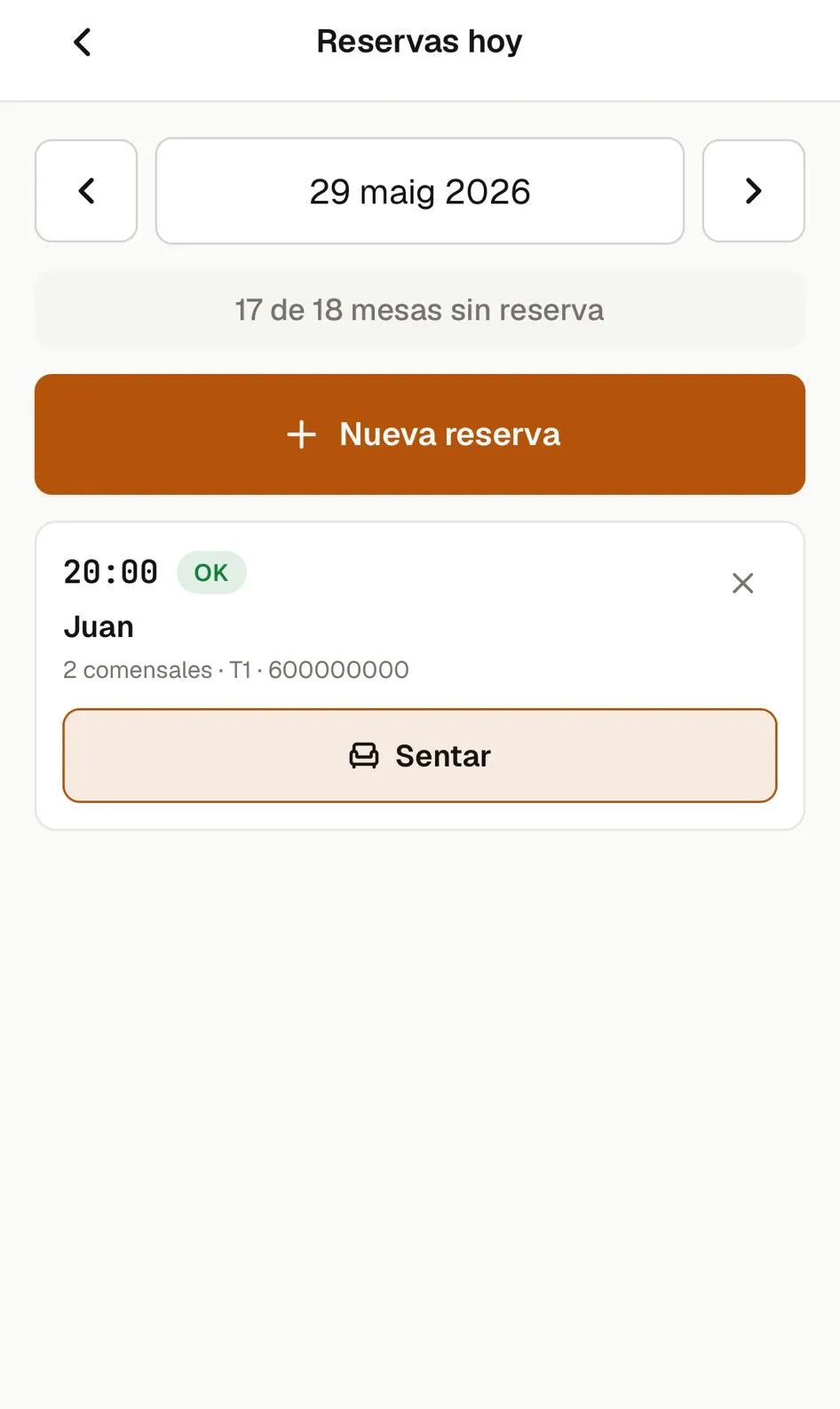 The same agenda, adapted for mobile.
Common issues
- I can’t find a free table for a reservation → check the time slot and the duration; there may be an overlap with another reservation.
- A customer didn’t show up → mark the reservation as No-show to free up the table.