Your team
Under Staff you manage the restaurant team: the people, their PINs, contracts and labour costs. It’s for admin.
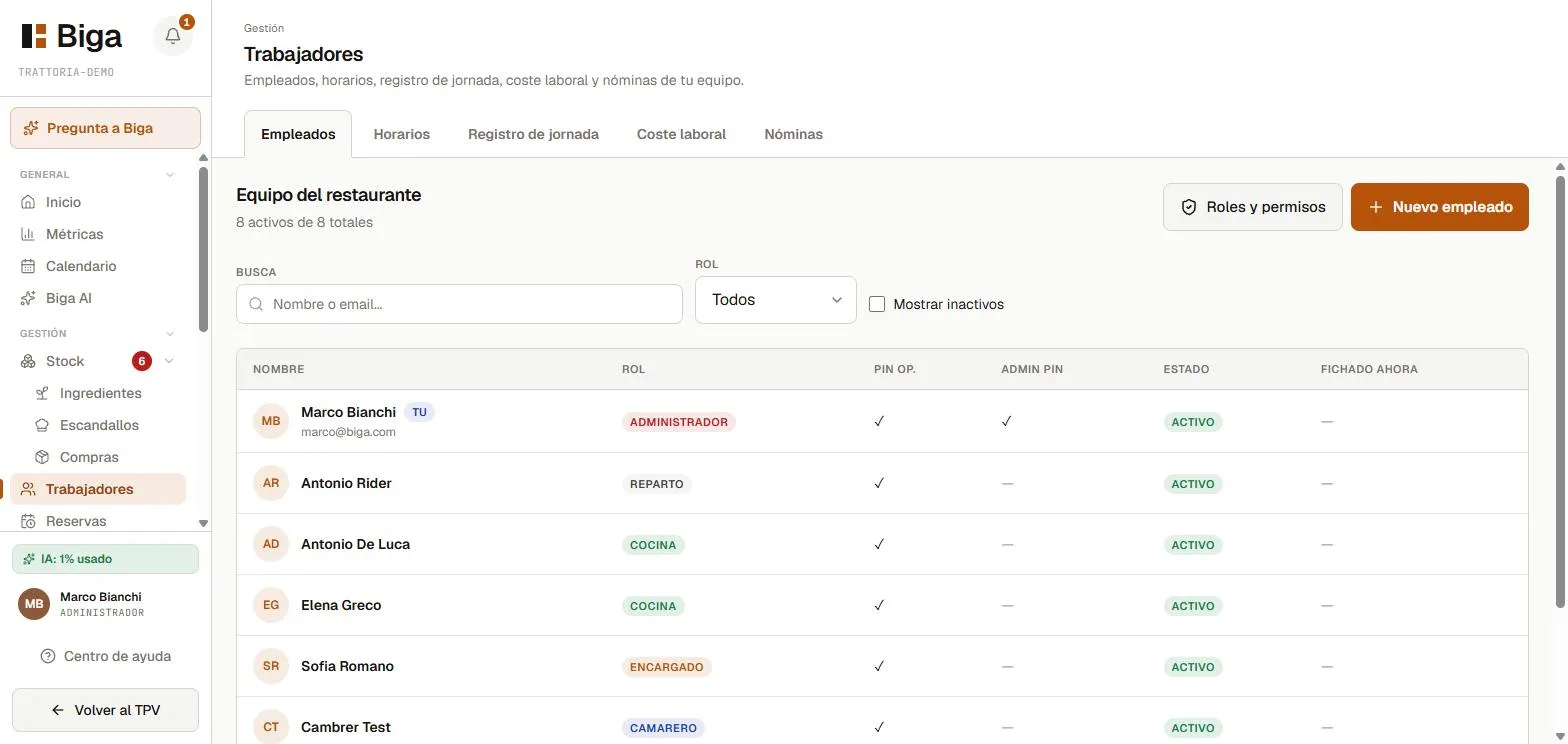 Each person with their role and status.
Adding a person
- Tap New employee.
- Enter the name, role (waiter, kitchen, manager, delivery, admin) and contact details.
- Assign a 4-digit PIN so they can identify themselves at the POS.
- Save.
The operating PIN (4 digits) identifies who takes an order or processes a payment. It’s different from the admin PIN (6 digits), which grants access to sensitive areas.
Clock-in and presence
Employees can clock in and out from the POS (avatar + PIN). Clocking is a presence record used for labour calculations; it never blocks operations (no one is left unable to work just because they forgot to clock in).
Labour cost
From the contracts and hours, Biga calculates the staff cost and cross-references it with the period’s revenue. At the top of the page there’s a period navigator (‹ › arrows) to move through weeks or months and compare how the cost evolves, instead of being stuck on the current period only.
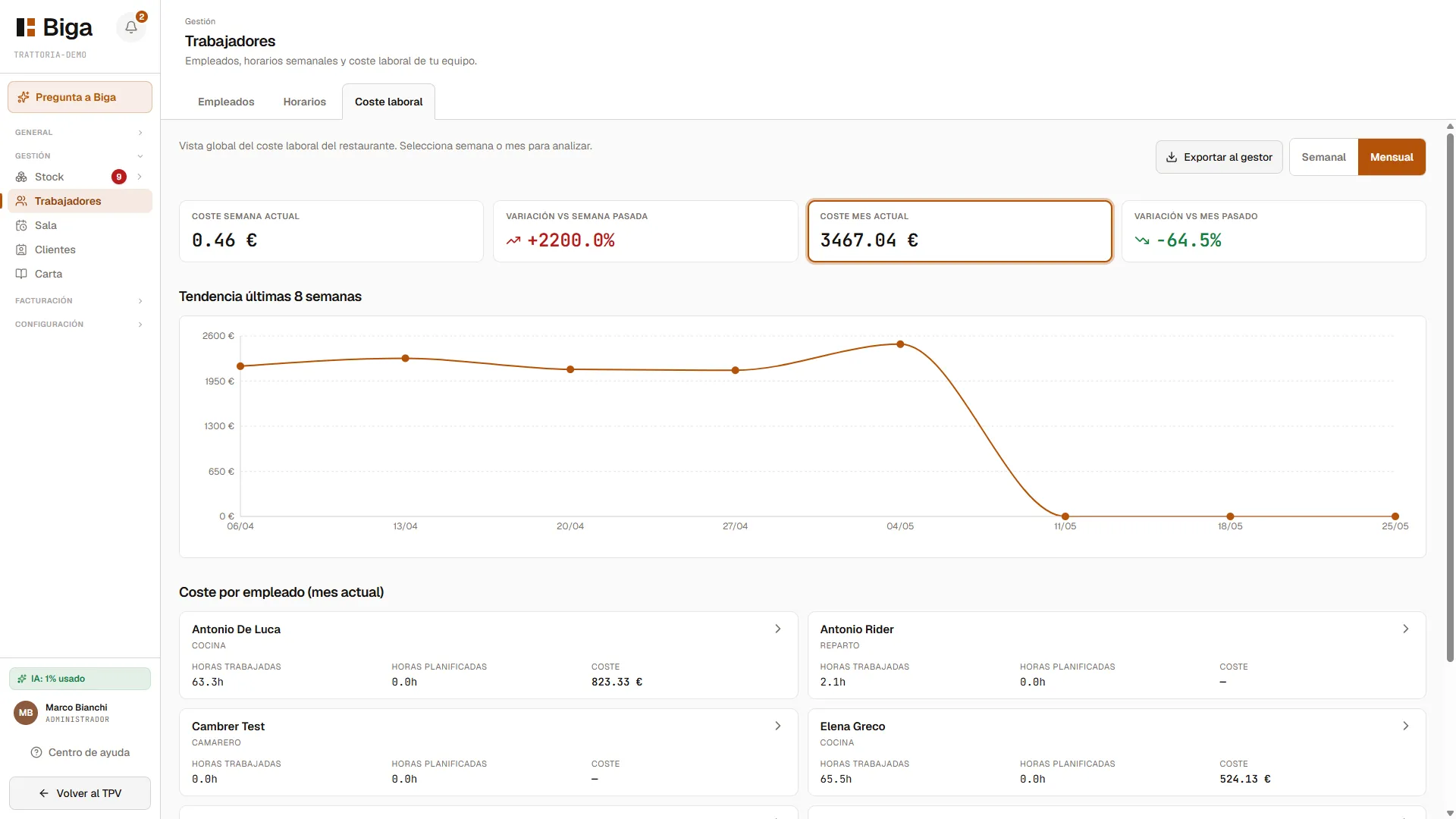 Staff cost for the period, per person and total.
Payroll data no longer appears inside each worker’s card: it’s managed on its own page (see below). The employee card stays clean with the person’s details, role and PIN.
Payroll (Level 1)
Biga records payroll and lets you export it as CSV for your accountant. It does not calculate income tax or social security: it’s a record and an export, not a full payroll program.
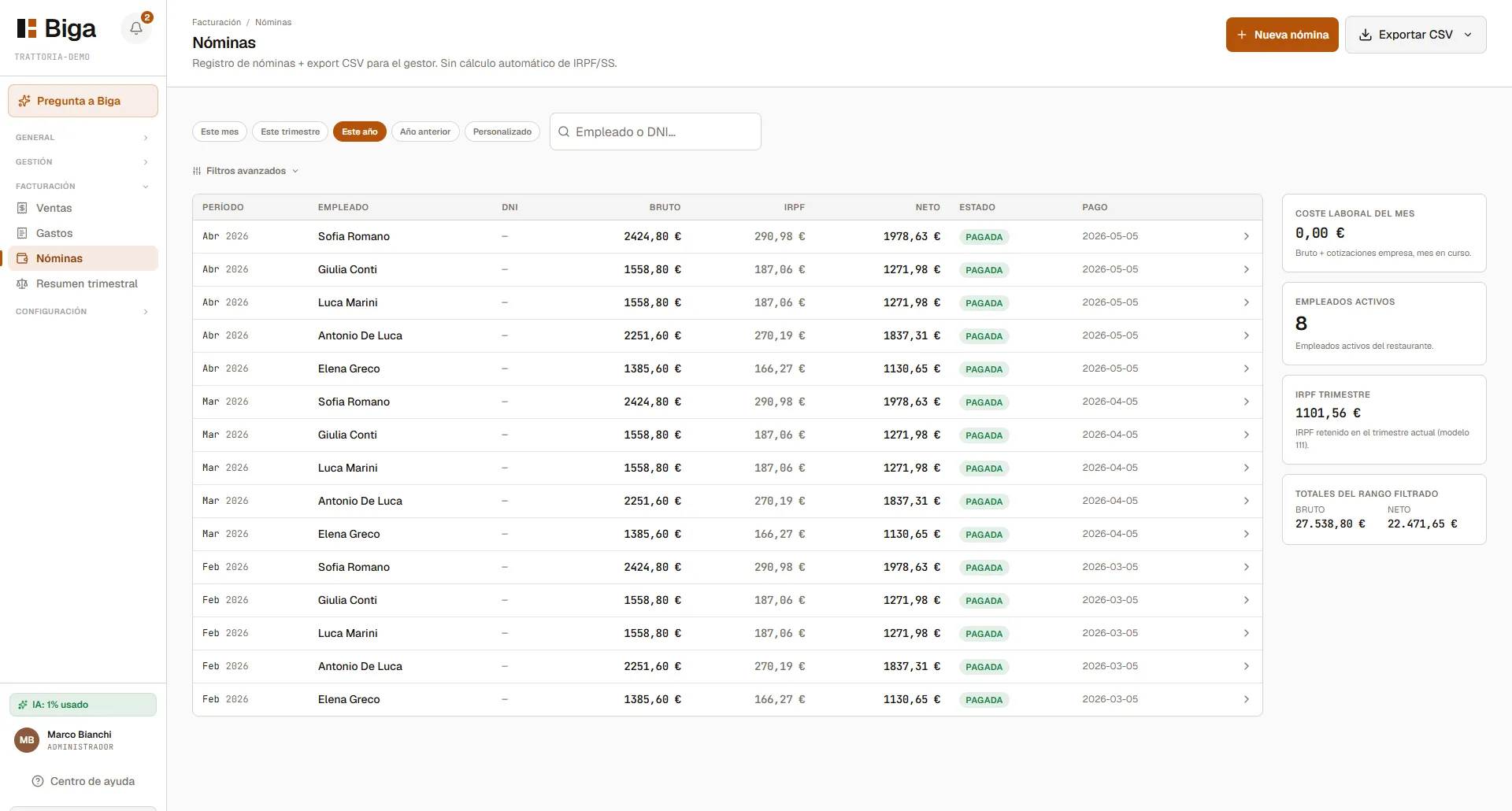 Payroll record with CSV export for your accountant.
Common issues
- An employee can’t log in on mobile → only floor roles (waiter) can sign in, and they need a PIN.
- Labour cost shows zero → you need to have set the person’s contract or hours.