Delivery notes and stock
Biga tracks ingredient stock and links it to your purchasing: stock enters the system when you confirm a supplier delivery note, and it goes down automatically as you sell dishes (based on your recipes/cost sheets).
Delivery notes
A delivery note is a supplier’s delivery document. When you confirm it, the ingredients enter your stock at their cost.
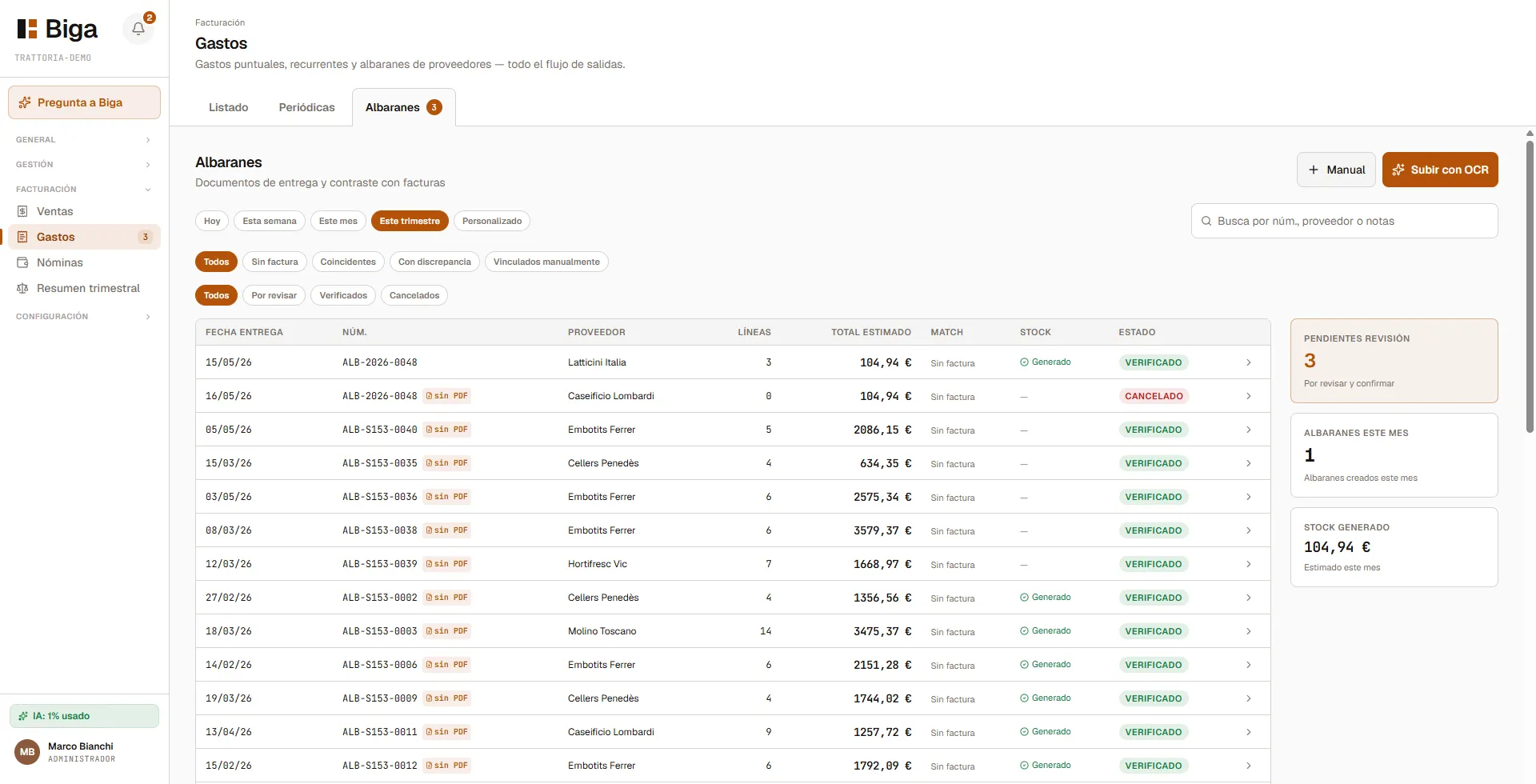 Delivery notes received, pending confirmation, or already confirmed.
Inside a delivery note
When you open a delivery note you’ll see its lines (ingredient, quantity, price). You can link each line to an ingredient in your catalogue; Biga suggests matches automatically.
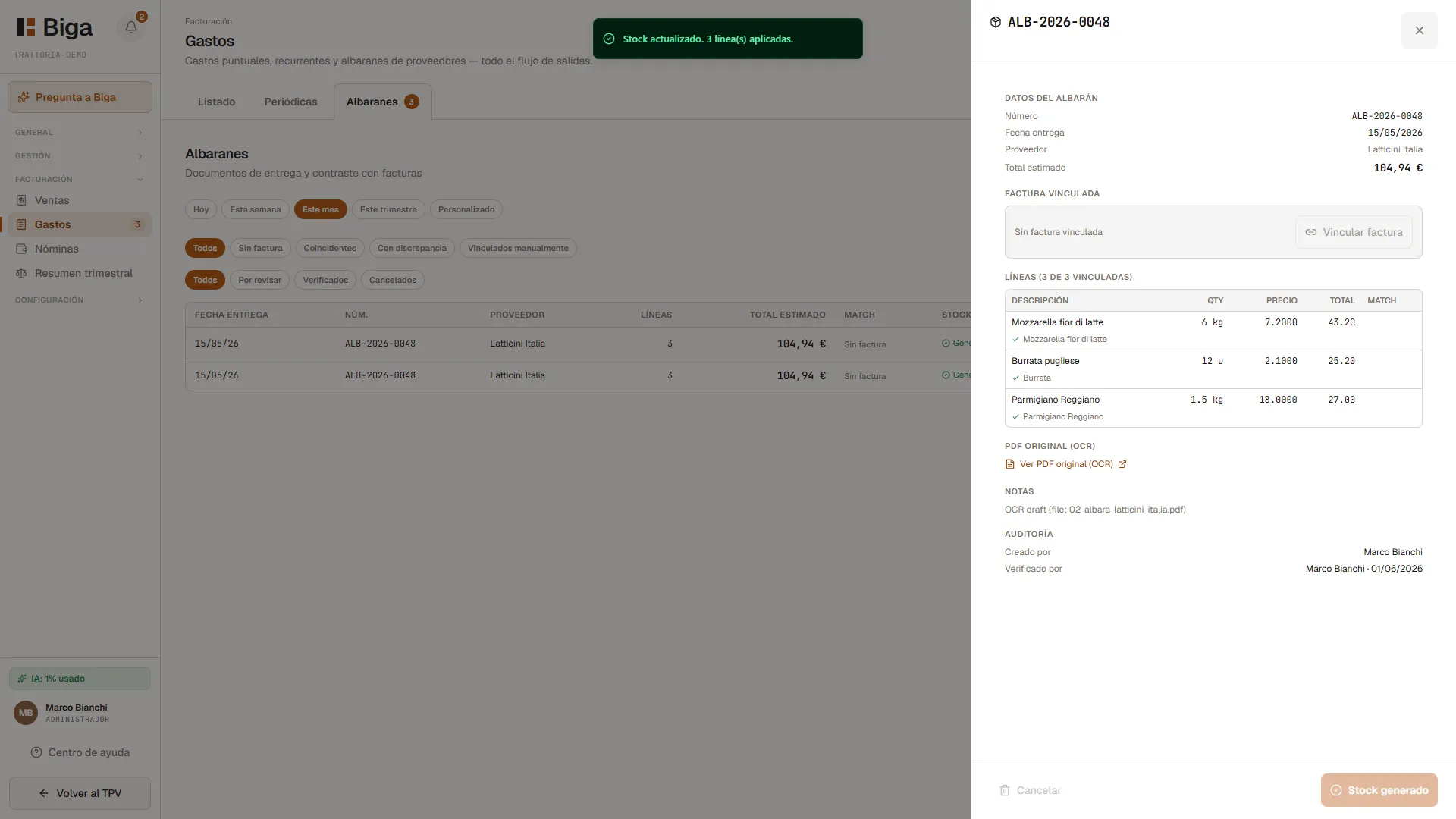 Each line is linked to an ingredient to update its stock and cost.
- Check that every line is linked to the right ingredient.
- Adjust quantities or prices if the actual delivery note differs.
- Tap Confirm: stock goes up and the cost is recorded.
Purchases from suppliers
Under Stock → Purchases you manage purchase orders to your suppliers. Each supplier has a card with the ingredients pending to order and the amount; from here you create the order, review it and send it (or repeat the last one). Biga AI suggests what to buy based on low stock and consumption.
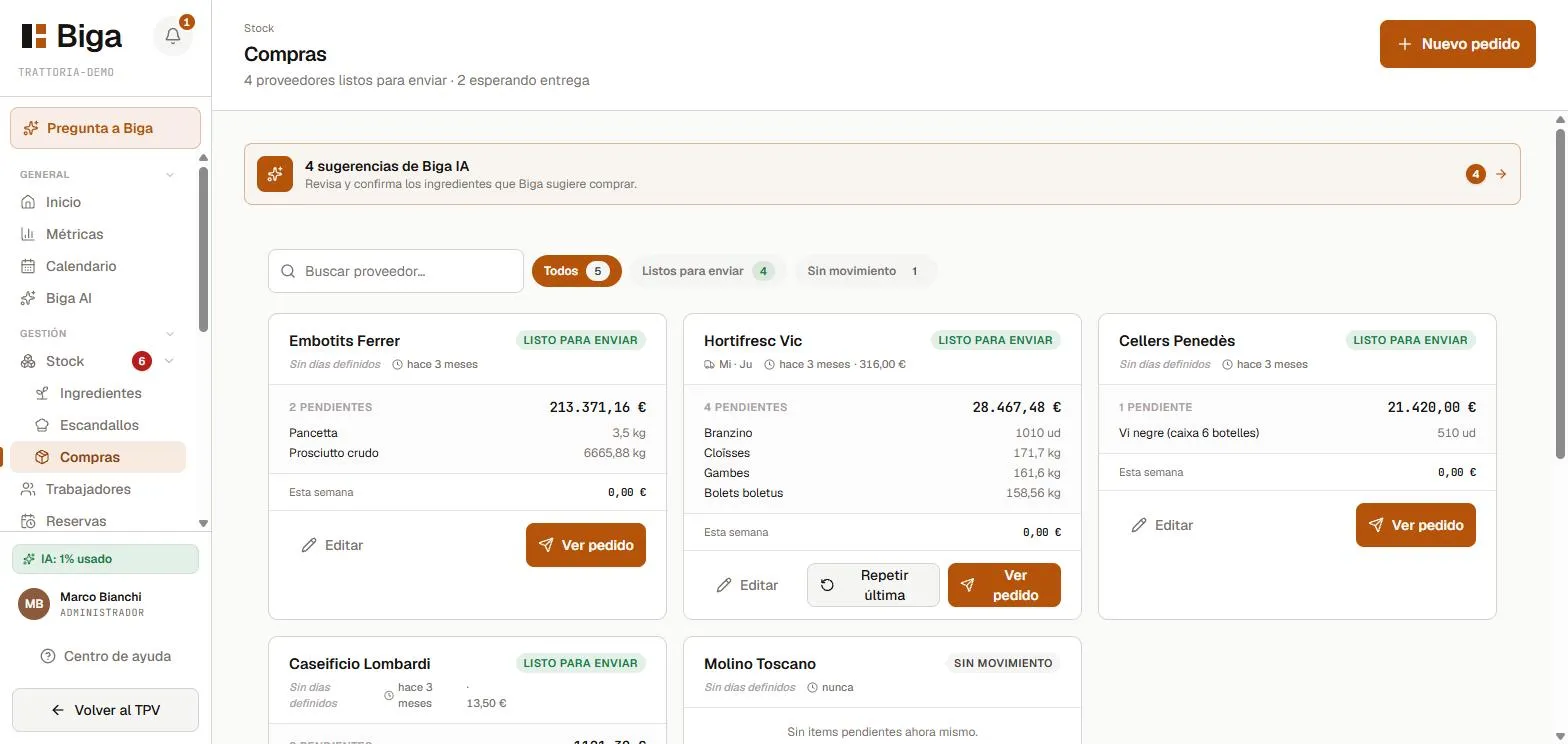 One card per supplier with the pending ingredients; Biga AI suggests what to order.
When the goods arrive, you confirm the delivery note and the stock enters the system (previous section).
Ingredient stock
In Stock you can see the current level of each ingredient, its average cost, and low-stock alerts.
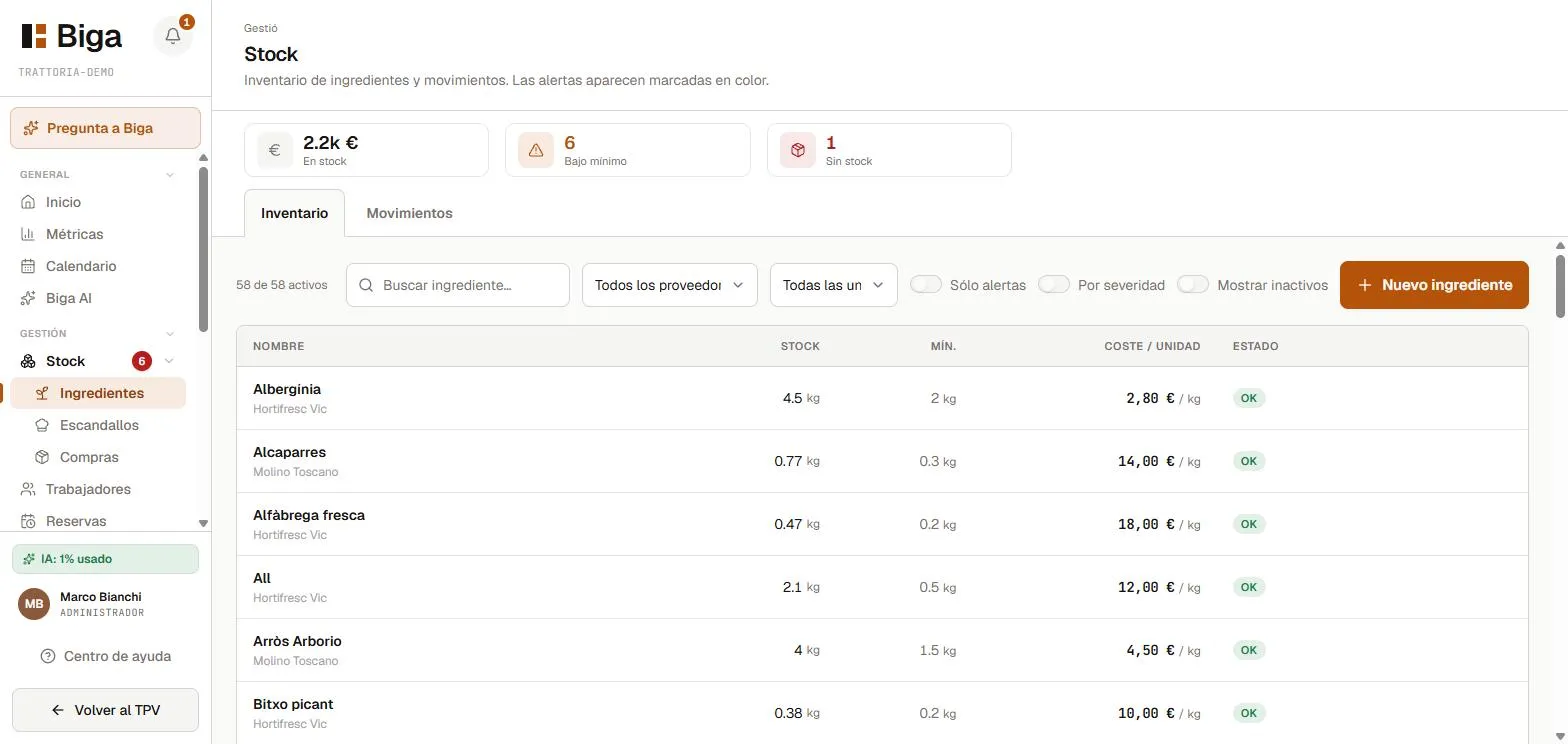 Current level, cost, and minimum-stock alerts for each ingredient.
- Stock goes down on its own when you sell dishes that use the ingredient (based on the cost sheet).
- Stock goes up when you confirm a delivery note or make a manual adjustment.
- Alerts let you know when an ingredient drops below the minimum you’ve set.
Internal consumption: stock can also go down for items you use up but don’t sell (paper, cling film, soap, staff meals…). It’s opt-in per ingredient: in the ingredient catalogue you mark which ones should appear on the Internal consumption screen of the POS (gear menu), and from there your team subtracts them from stock as they’re used, without going through any sale.
Common issues
- A delivery note line can’t find the ingredient → type it into the dropdown search box; if it doesn’t exist yet, create it first in your ingredient catalogue.
- Stock isn’t going down when you sell → check that the dish has a cost sheet (recipe) defined with its ingredients.